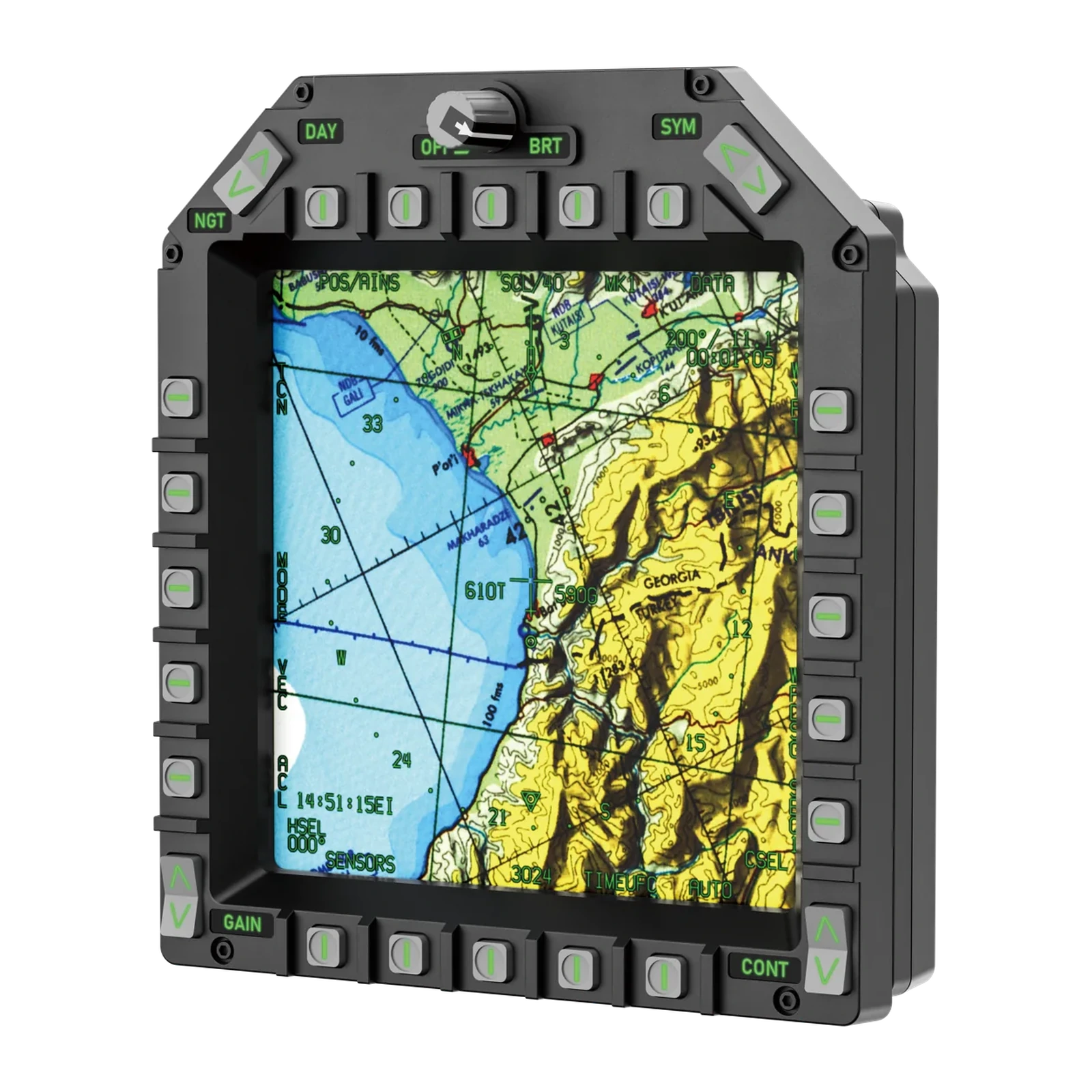
MOZA AMPCD Display Panel — 7.1-inch square cockpit display: 800×800 at 60 Hz, magnetic button bezel, 75×75 mm VESA
Payment methodsAbout this product
All specifications →MOZA AMPCD Display Panel: description and configuration
MOZA AMPCD Display Panel.
The MOZA AMPCD Display Panel is a standalone lower-centre display module for a carrier-fighter cockpit build. Instead of a cropped rectangle it uses a genuinely square screen: a 7.1-inch active area at 800×800 pixels and a 60 Hz refresh rate, so the proportions match the real instrument.
The button bezel is held by magnets and pogo pins, so it comes off in a second and the display can be used on its own — as a civil-aviation instrument, for example. The panel connects over USB-C, while button assignment and the image shown on the screen are configured in MOZA Cockpit.
The back carries a standard 75×75 mm VESA pattern for M4×10 screws, so the panel fits an aluminium-profile rig, a desk clamp, a bracket or a suspended mount. Platform: PC. The module is sold separately from the full FMP18 front-panel bundle.
A square, not a cropped rectangle
In a real cockpit the lower centre display is square, and most desktop solutions replace it with a cropped rectangle. The AMPCD gives you a 7.1-inch active area at 800×800 pixels and a 60 Hz refresh rate. Maps, systems pages and menus fill the whole screen in the same proportions as in the aircraft.
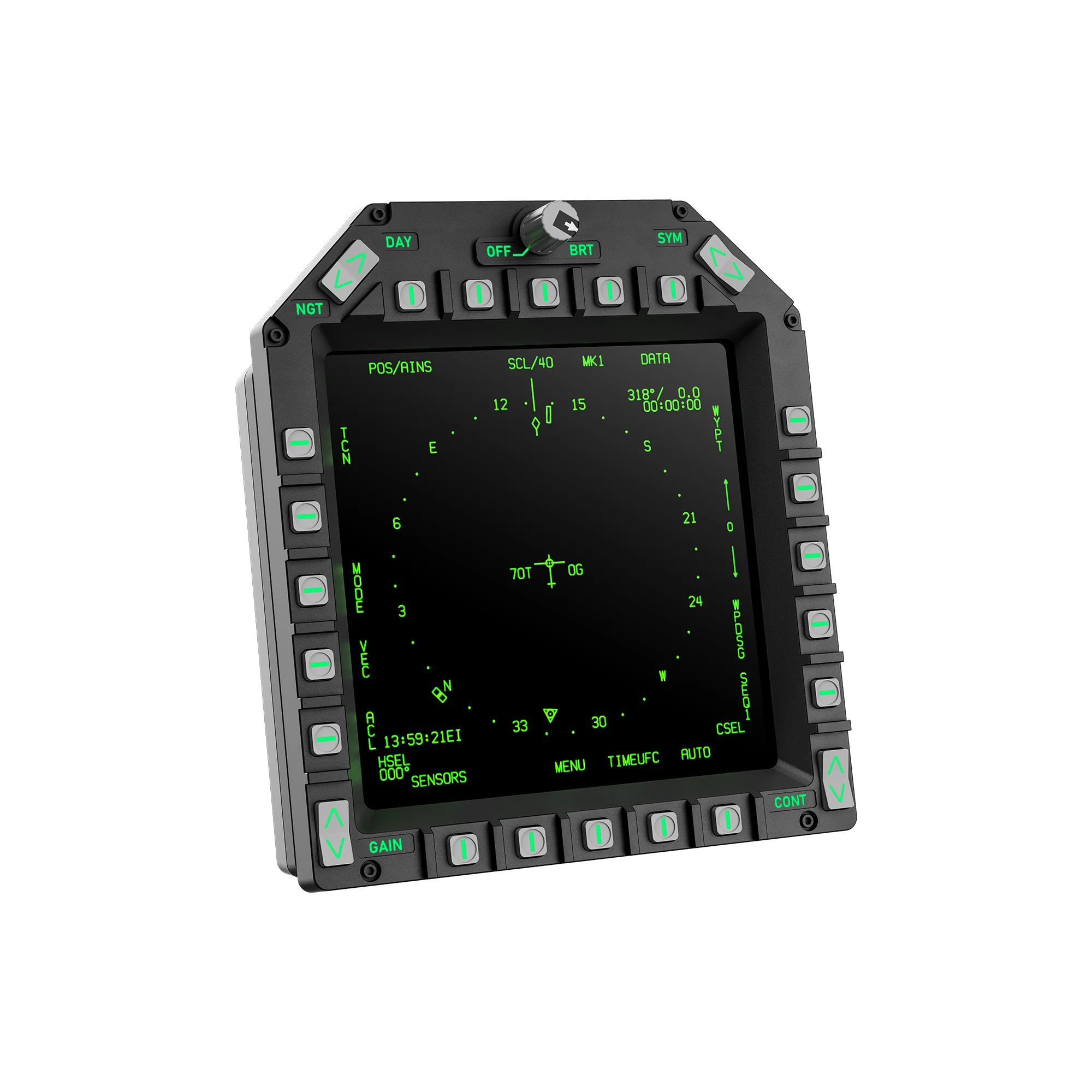
MOZA AMPCD Display Panel: a green navigation page on the square screen, pushbuttons around the bezel, three-quarter view
The button bezel is held by magnets
The button plate attaches to the display with magnets and pogo pins — no screws, no ribbon cables. The bezel comes off and goes back on in one motion, so the module is easy to re-purpose for another cockpit layout, and the bare display still works as a different instrument.
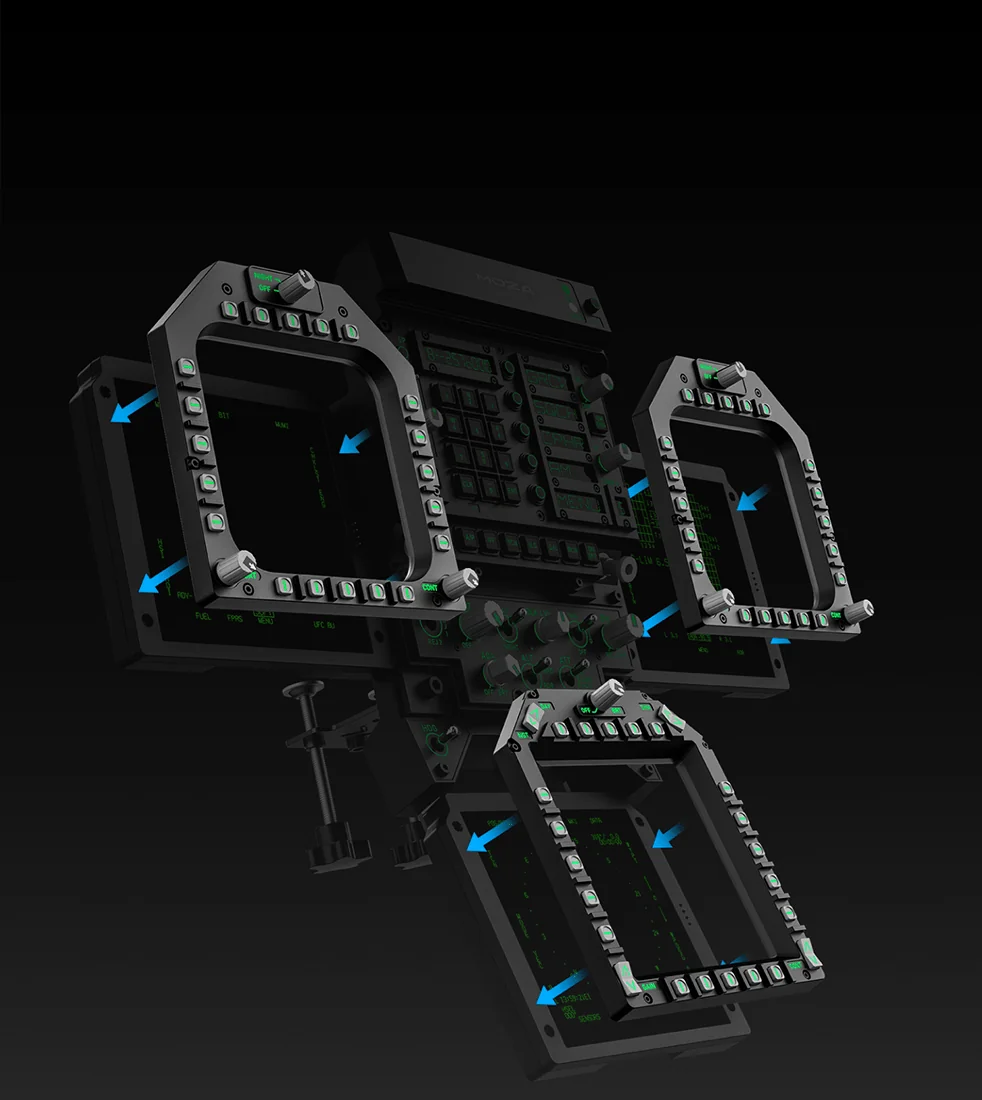
MOZA diagram: magnetic button bezels separating from the displays, including the AMPCD module
Fits any cockpit
The back has a standard 75×75 mm VESA pad for M4×10 mm screws. That means a desk clamp, a monitor arm, an aluminium profile rig, a wall bracket or a suspended mount — anything built for VESA fits, including MOZA's own panel mounts.
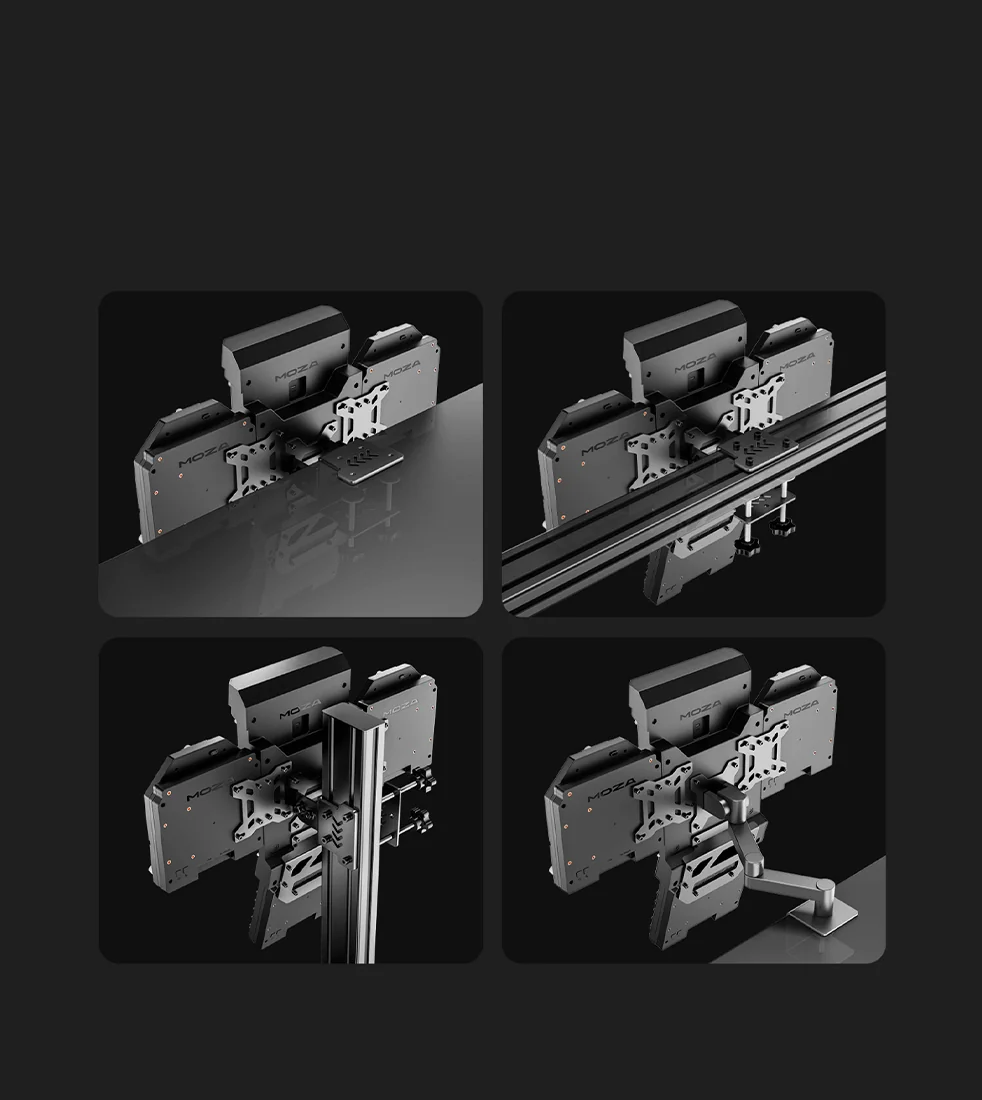
Rear mounting options for MOZA panels: VESA plate, aluminium profile rig, desk clamp and monitor arm
One module of the front panel
The AMPCD is the same module that sits bottom centre in the complete MOZA FMP18 front-panel bundle. Buying it on its own makes sense if you are building the cockpit step by step: the lower display first, the other panels later. In MOZA Cockpit the buttons and rotaries are mapped by hand, and in a multi-screen build you choose which screen shows what.
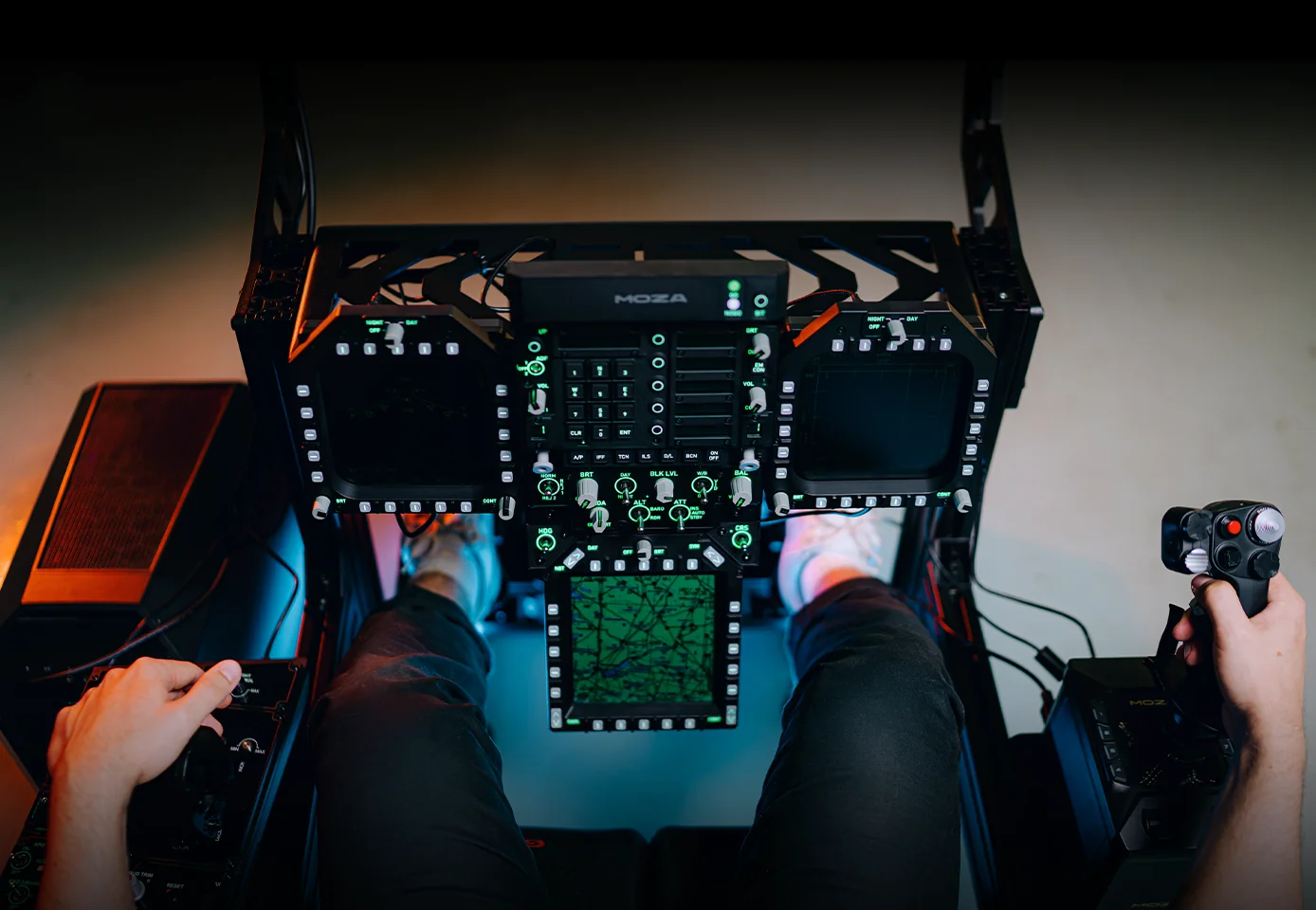
A cockpit rig with the MOZA FMP18 panel: the map-showing AMPCD module bottom centre, a DDI display on each side, the pilot's hands on the side consoles
MOZA AMPCD Display Panel specifications
Reviews
There are no customer reviews yet. The first review will appear after a verified order.
No reviews yet — be the first to leave one.
Questions and answers
No questions yet. Ask the first one and we will reply within one business day.
No questions yet — be the first to ask.