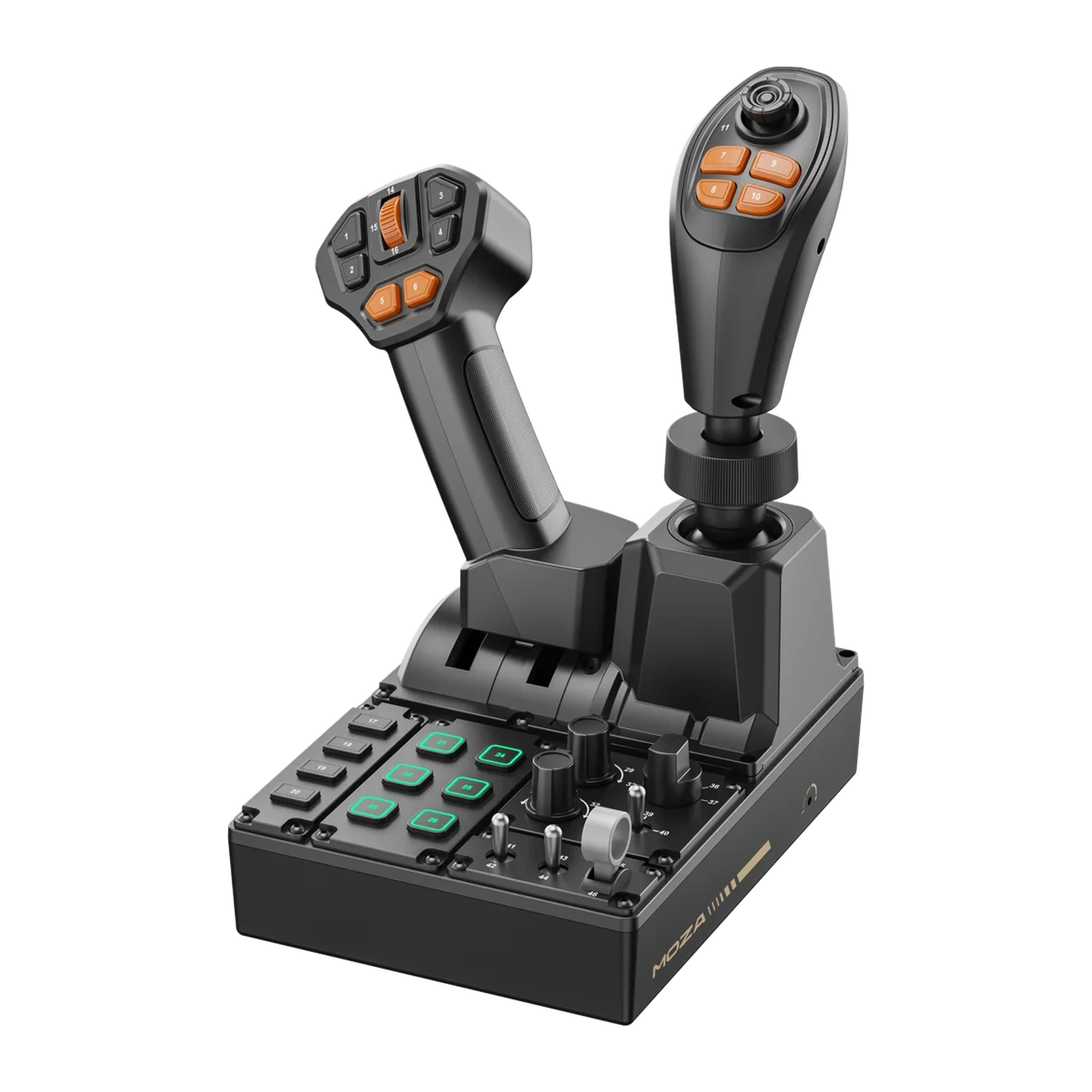
MOZA FCS Farming Control System — machinery control panel: 3-axis Hall joystick, throttle lever, 46 programmable inputs
Payment methodsAbout this product
All specifications →MOZA FCS Farming Control System: description and configuration
MOZA FCS Farming Control System.
The MOZA FCS Farming Control System is neither a wheel nor a gamepad — it is a machine control console. One housing carries a three-axis Hall-effect joystick, a throttle lever and a multifunction panel, and MOZA counts 46 programmable inputs across the unit. It is aimed at Farming Simulator, construction and heavy-machinery titles, and at supported truck simulation.
The centrepiece is the three-axis joystick on contactless Hall sensors: MOZA quotes ±17° of travel on the X and Y axes and ±15° on Z, with natural self-centring and drift-free behaviour, so the stick still returns to true centre after a long shift. Its head carries a hat switch and four orange thumb buttons, while the throttle grip adds six more buttons and a wheel. The panel itself holds a row of keys, a block of backlit buttons with 16.7 million colours, rotary knobs and toggle switches, with a continuous 1-to-46 numbering printed on the body so a mapping is easy to transfer into a game's control settings.
The ABS and polycarbonate housing takes up 205 × 201 mm of desk, stands 266 mm tall and weighs 1.27 kg. The grips are modular: they sit on a universal connector, and MOZA lists the MA3X, MHG and MH16 grips as compatible modules, sold separately and selected in MOZA Cockpit. The panel connects to a PC over USB, needs no drivers and no separate MOZA base, and its lighting and telemetry feedback are configured in MOZA Pit House.
A console, not a gamepad
In a farming sim, steering is the smaller part of the job. Most of your time goes on hydraulics, the PTO, the header, the trailer, engine revs and a dozen small functions that usually live on the keyboard. The FCS gathers all of that into one housing: a joystick, a throttle lever and a panel of buttons, knobs and toggles — 46 programmable inputs in total. It takes 205 × 201 mm of desk and weighs 1.27 kg, so it sits beside your wheel rather than replacing it.
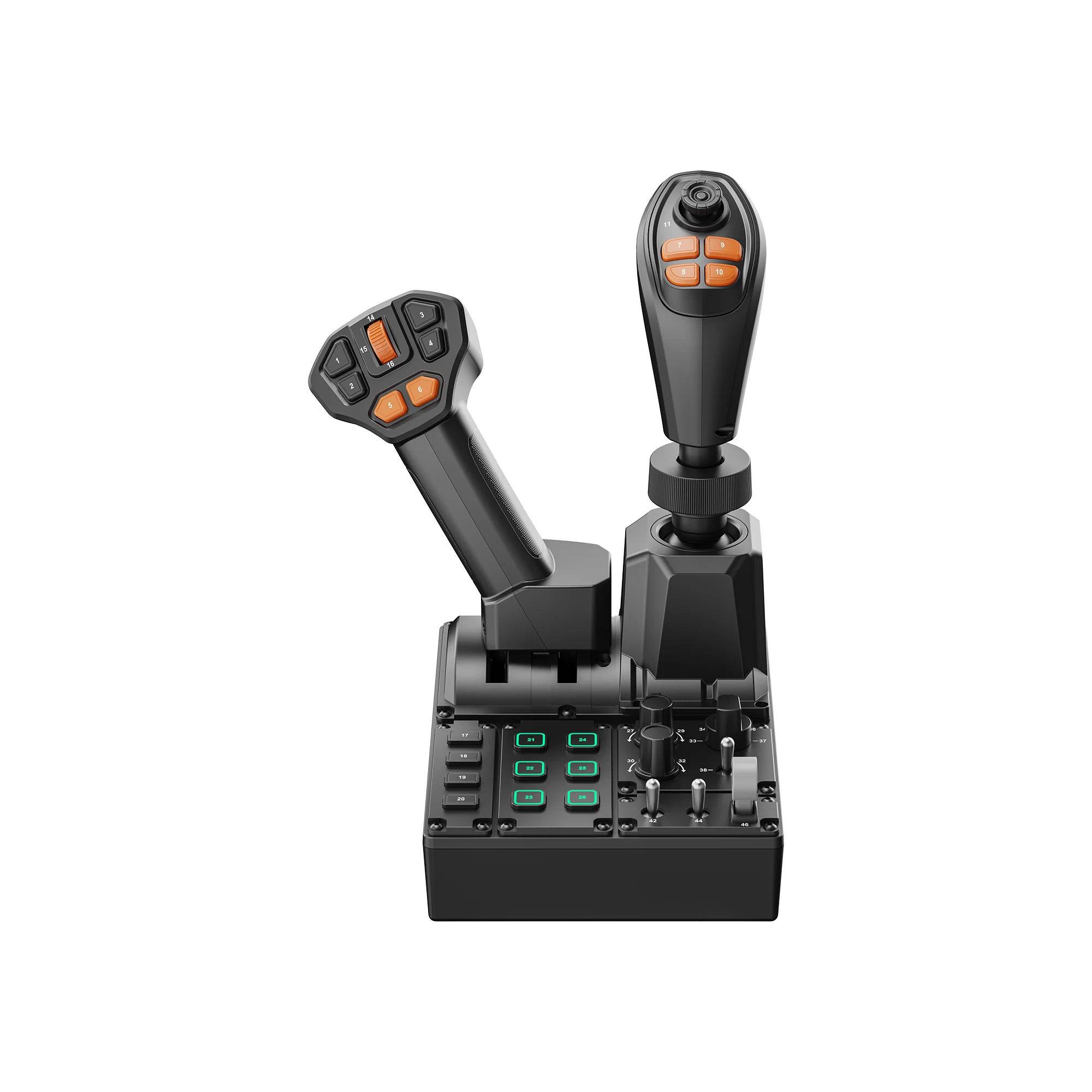
MOZA FCS from the front: throttle lever on the left, three-axis joystick on the right, panel with backlit buttons, knobs and toggles
A Hall-effect joystick
The three-axis stick runs on contactless Hall sensors: there is no rubbing contact between the moving part and the sensor to add noise and false readings over time. MOZA quotes ±17° of travel on X and Y, ±15° on Z, smooth self-centring and drift-free behaviour. In practice that means the loader arm stops when you let go, even after an hour of work.
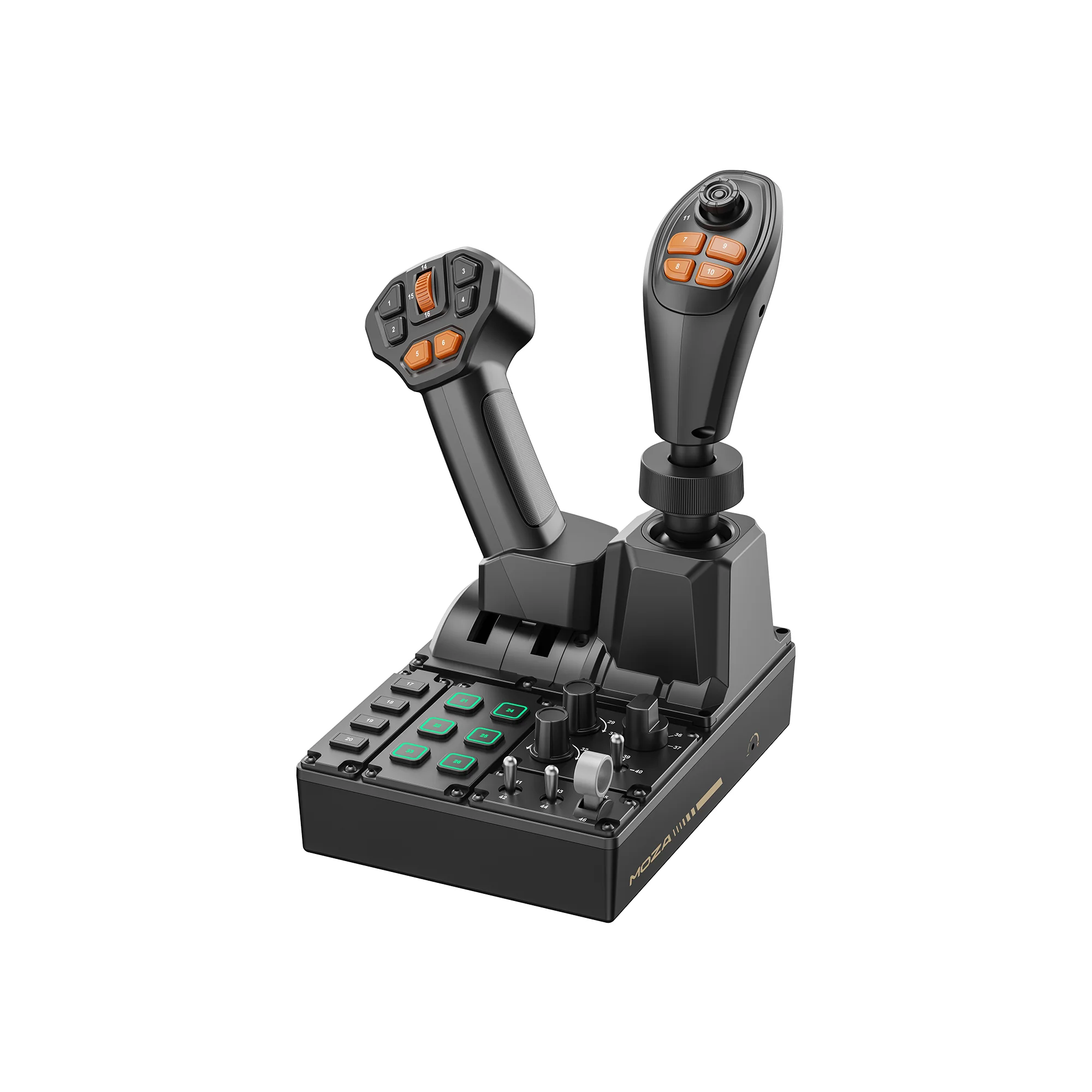
MOZA FCS at three-quarters from the right: the joystick head with its hat switch and four orange buttons above the knob panel
Grips that change with the machine
The FCS grips are modular: they sit on a universal connector, so the joystick and the throttle lever can be fitted with different modules. MOZA lists the MA3X, MHG and MH16 grips as compatible — all three are sold separately, and you pick the one you want in MOZA Cockpit. MOZA's own renders show the panel with two grips — a multifunction one on the throttle lever and a joystick grip with a hat switch — but MOZA does not publish a packing list, so confirm what is included with the manager.
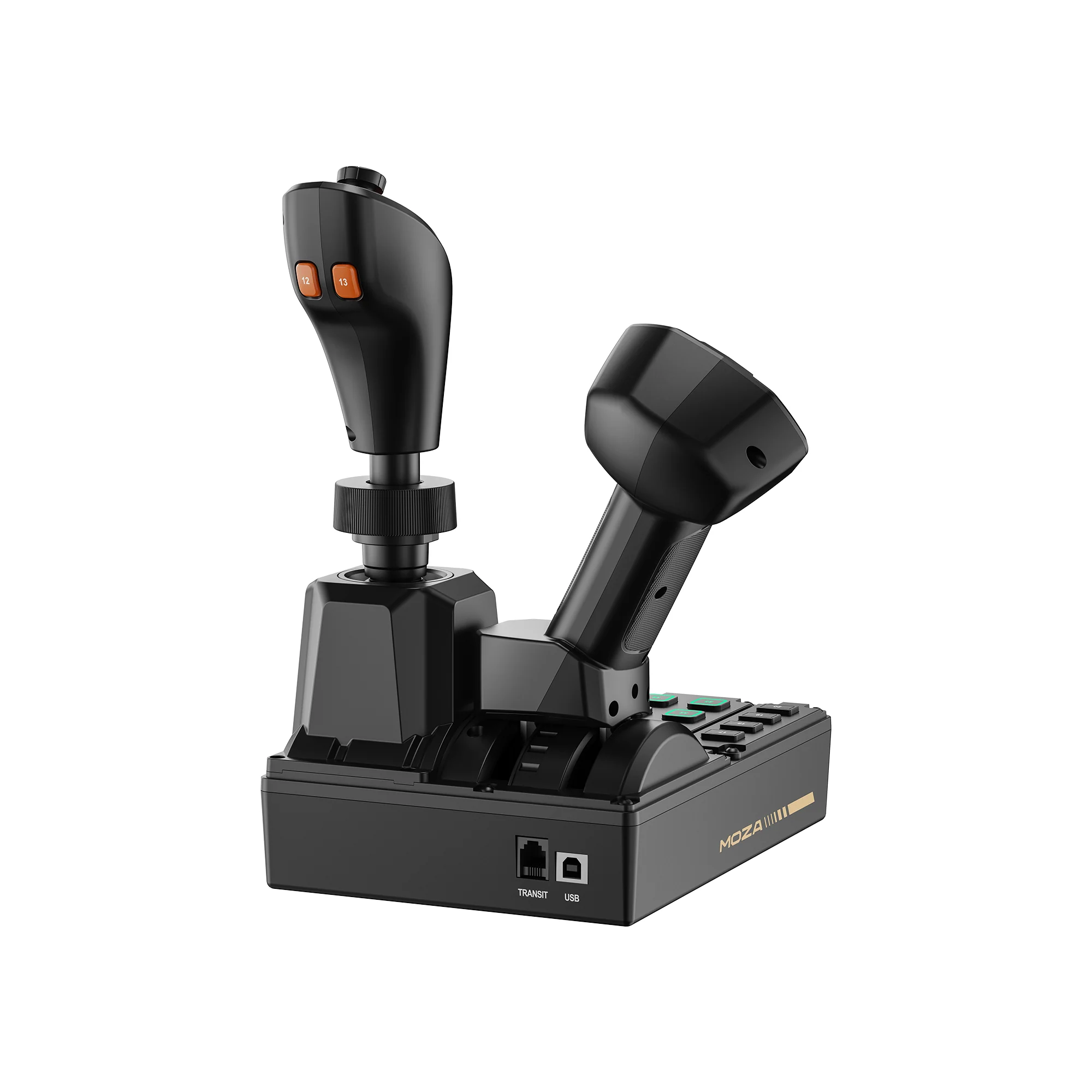
Rear of the MOZA FCS with the TRANSIT and USB sockets, fitted with a different pair of grip modules
1-to-46 numbering, no guesswork
Every control is printed on the body with a number from 1 to 46 — grip buttons, panel keys, rotary knobs and toggle switches. When a game asks you to bind an action, you can see exactly which number fired instead of hunting blind. In Construction Simulator, MOZA notes, the in-game button IDs match the labels on the panel, which saves an entire first evening of setup.
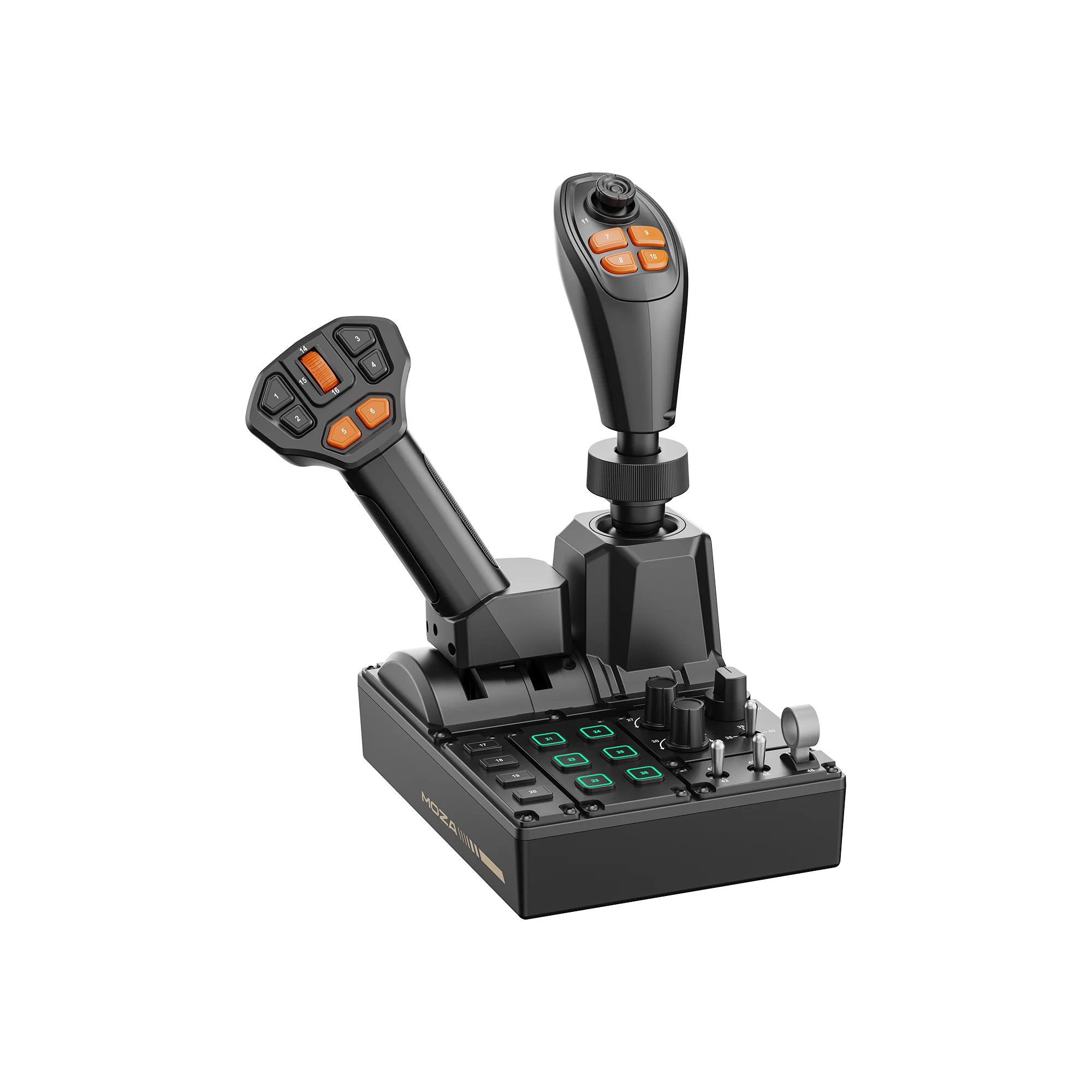
MOZA FCS at three-quarters from the left: the input numbering on the body and the MOZA logo on the front edge
Plug in the USB and go
The panel connects to a PC with an ordinary USB cable and needs neither drivers nor a separate MOZA base. Across the Farming Simulator series the mapping is picked up automatically, with presets ready for tractors, harvesters and loaders, and MOZA marks Farming Simulator 25 as officially supported. Lighting and telemetry feedback are configured in MOZA Pit House. Next to the USB socket on the rear wall sits a port marked TRANSIT; MOZA does not yet document what it does, so check that point with the manager if you plan to pair the panel with other MOZA hardware.
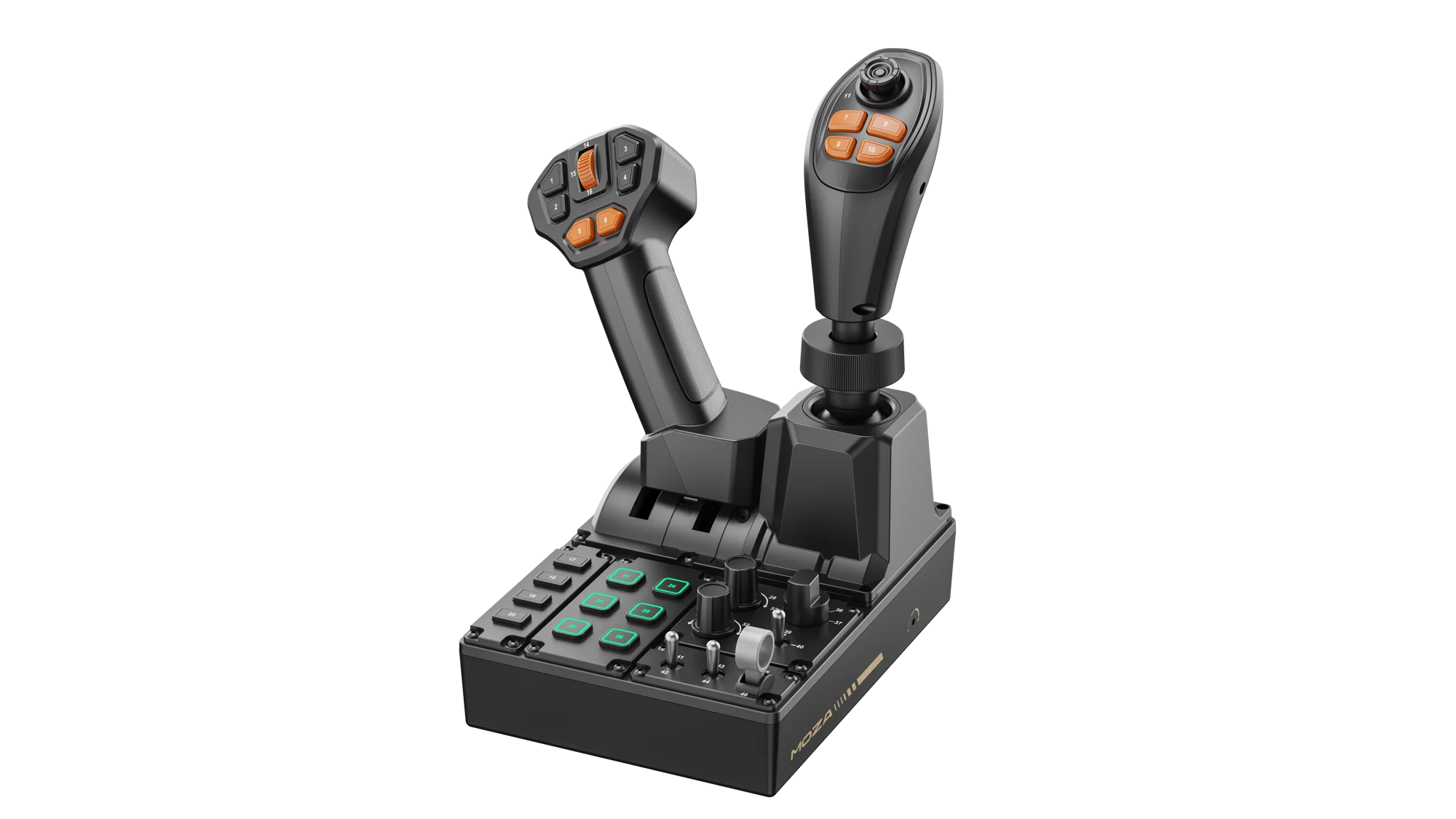
Wide three-quarter view of the MOZA FCS: throttle lever, joystick and the full control panel on white
MOZA FCS Farming Control System specifications
Reviews
There are no customer reviews yet. The first review will appear after a verified order.
No reviews yet — be the first to leave one.
Questions and answers
No questions yet. Ask the first one and we will reply within one business day.
No questions yet — be the first to ask.