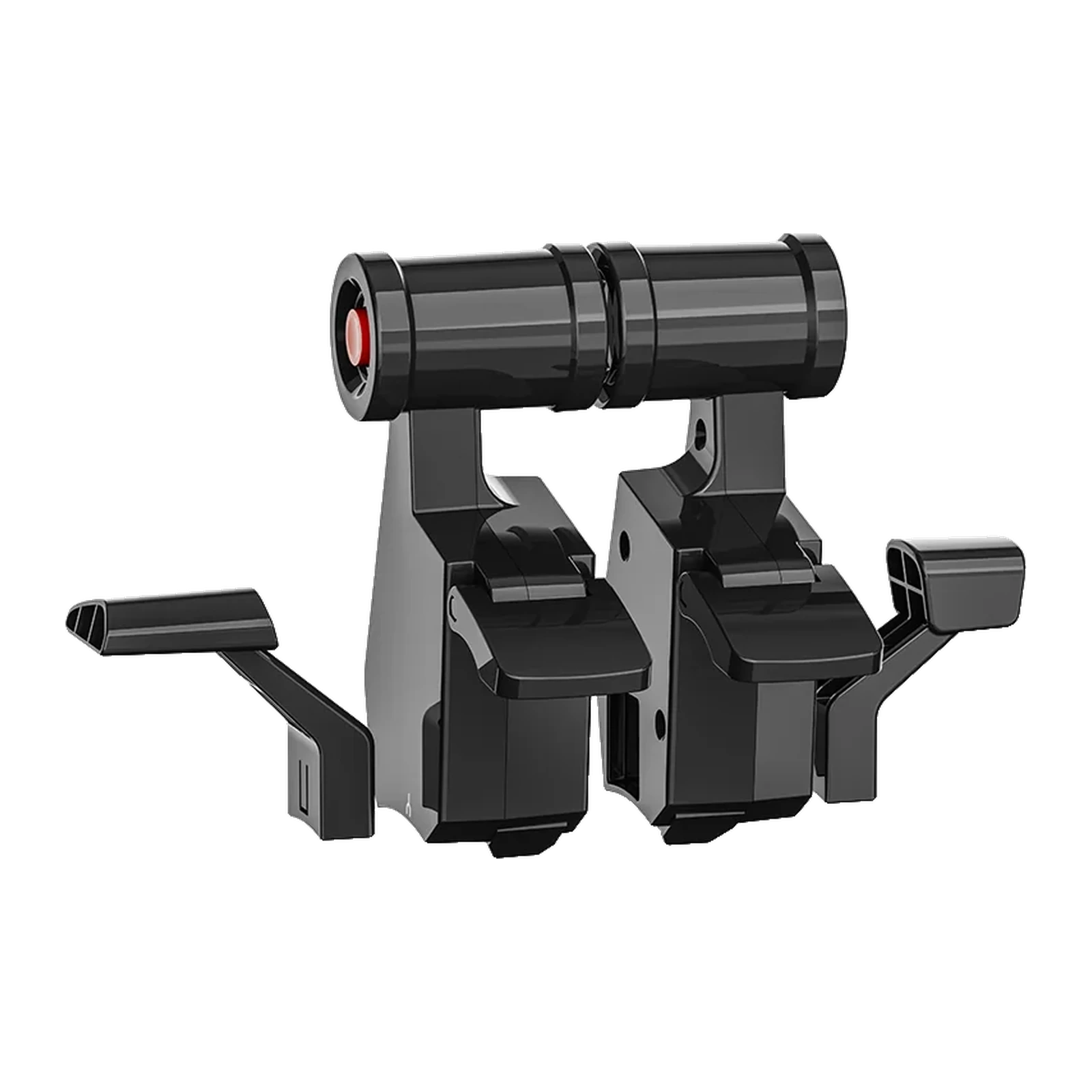
MOZA TQA Throttle Module — Airbus A3X-style throttle levers for the MOZA MTQ quadrant
Payment methodsAbout this product
All specifications →MOZA TQA Throttle Module: description and configuration
MOZA TQA Throttle Module.
The MOZA TQA Throttle Module is a replacement lever set for the MOZA MTQ quadrant that recreates the thrust-control layout of Airbus A3X-series airliners. It is aimed at pilots who fly airliners in Microsoft Flight Simulator, X-Plane or DCS World and want to find thrust positions by feel rather than by watching the screen.
MOZA states that the TQA reproduces the detent structure and the reverse-thrust behaviour of the A3X series: the intermediate positions are clearly defined, and moving into reverse takes a separate, deliberate action. The set holds two paired throttle levers with cylindrical grips, a dedicated SPEED BRAKE lever and a FLAPS lever, so it changes not just the shape of the grip but the way the quadrant behaves.
The TQA is an add-on, not a standalone device. The MTQ quadrant itself ships with fighter-style TQF levers, while the TQA (Airbus) and TQB (Boeing) modules are bought separately and fitted in their place. An MTQ is required: it connects to MOZA flight bases over an RJ11 cable or to a PC over USB, and the platform is PC.
An A3X cockpit on the desk
The TQA mirrors the thrust-control layout of Airbus A3X-series aircraft: two paired levers with cylindrical grips that move together or separately. MOZA describes the module as a reproduction of the A3X detent structure and reverse-thrust behaviour. In practice, that means your hand learns the thrust positions instead of your eyes tracking an on-screen gauge.
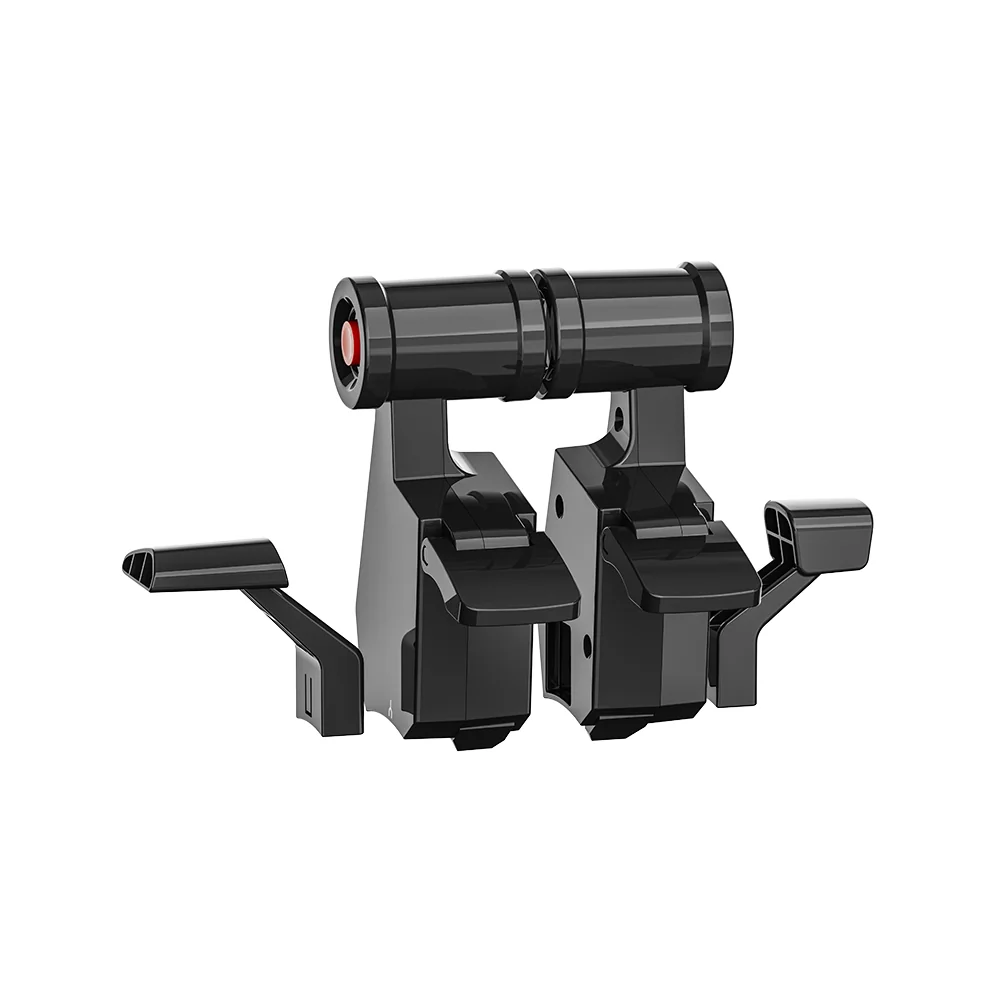
Assembled black MOZA TQA module: two throttle levers with cylindrical grips plus SPEED BRAKE and FLAPS levers
Four levers, not just a grip
The set holds two throttle levers, a dedicated SPEED BRAKE lever and a FLAPS lever, each with its own marking. These are exactly the controls an airliner pilot reaches for on descent and approach, and after the swap they sit where they belong on the quadrant. The side levers stay on the same MTQ axes, so there is no need to rebuild your simulator bindings from scratch.
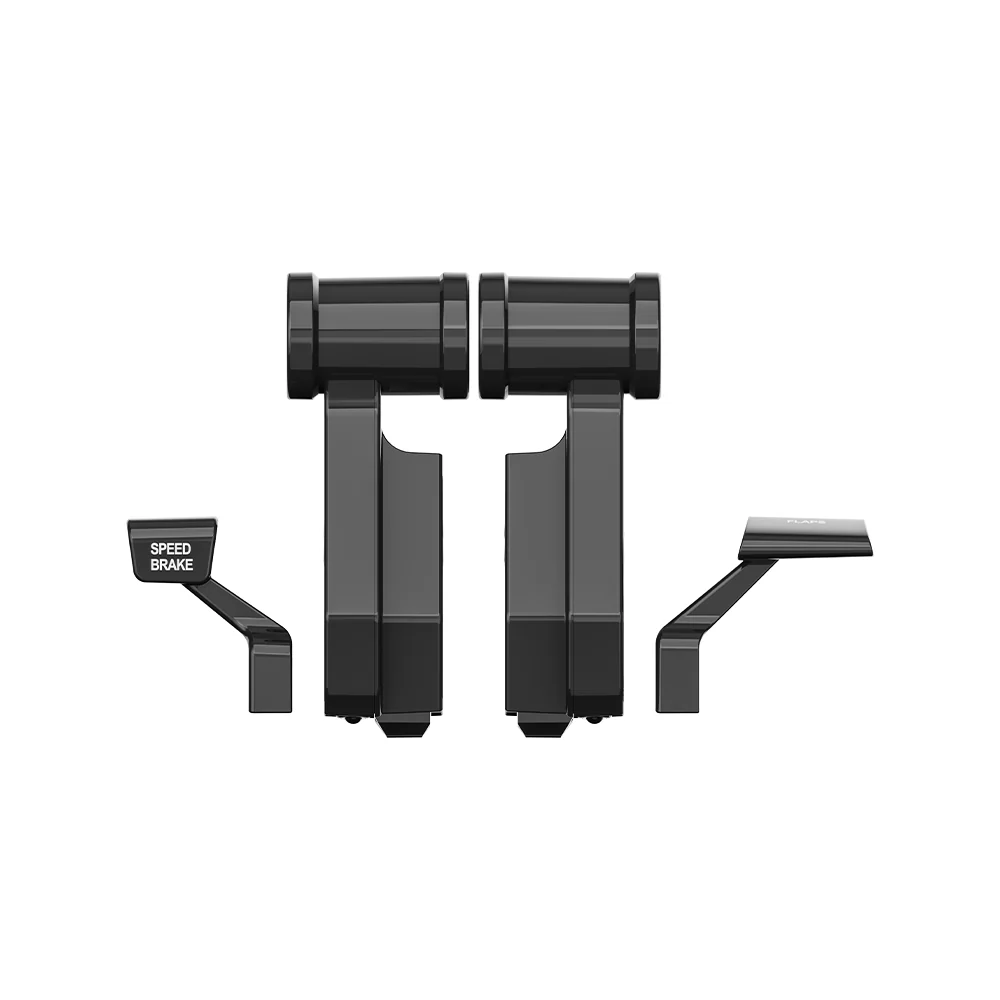
The MOZA TQA module laid out: two throttle levers, the SPEED BRAKE lever and the FLAPS lever
One quadrant, three characters
The MOZA MTQ is built around swappable modules: the fighter-style TQF comes with the quadrant, the TQA gives Airbus behaviour and the TQB gives Boeing. Changing a module changes the mechanical detents and the reverse logic, not just the look, so one quadrant covers both combat aircraft and airliners. Damping for each throttle axis is set on the MTQ itself.
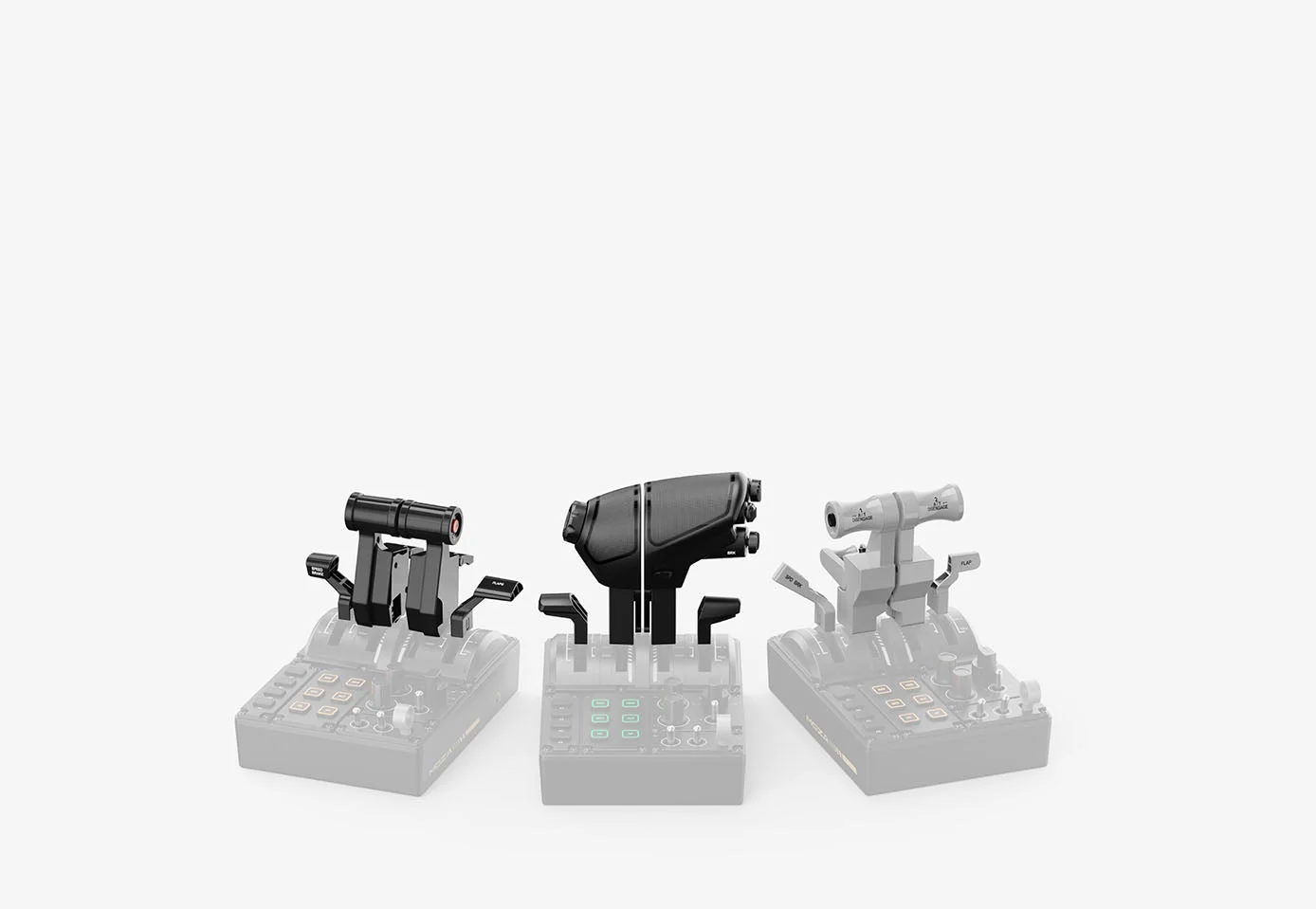
The three swappable MOZA MTQ modules: black Airbus TQA on the left, fighter TQF in the middle, white Boeing TQB on the right
What you need alongside it
The TQA does not work on its own: it is a lever set that needs a MOZA MTQ quadrant. The MTQ connects to MOZA flight bases with an RJ11 cable or to a computer over USB and supports Microsoft Flight Simulator 2020/2024, X-Plane and DCS World. If you are buying an MTQ for the first time, note that it already includes the fighter-style TQF levers, while the Airbus and Boeing modules are purchased separately.
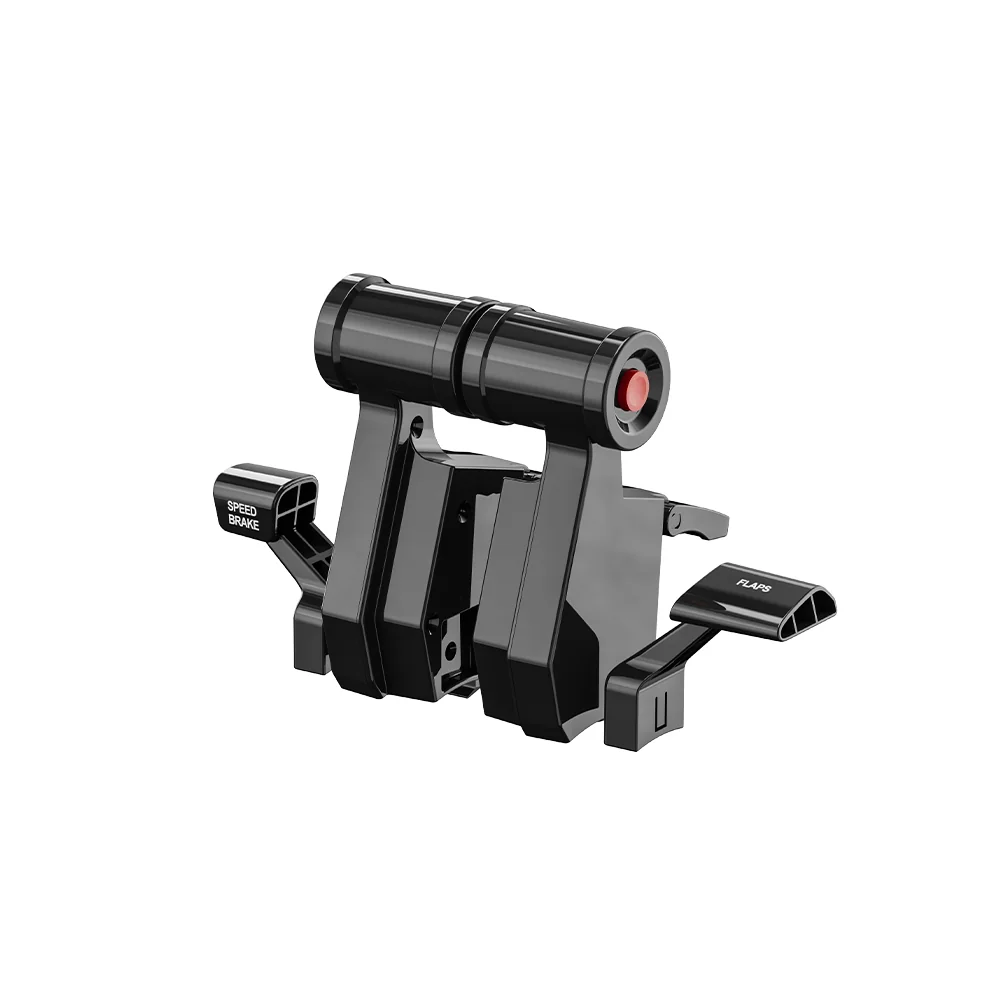
Three-quarter view of the MOZA TQA module showing the paired throttle levers and the side FLAPS lever
MOZA TQA Throttle Module specifications
Reviews
There are no customer reviews yet. The first review will appear after a verified order.
No reviews yet — be the first to leave one.
Questions and answers
No questions yet. Ask the first one and we will reply within one business day.
No questions yet — be the first to ask.