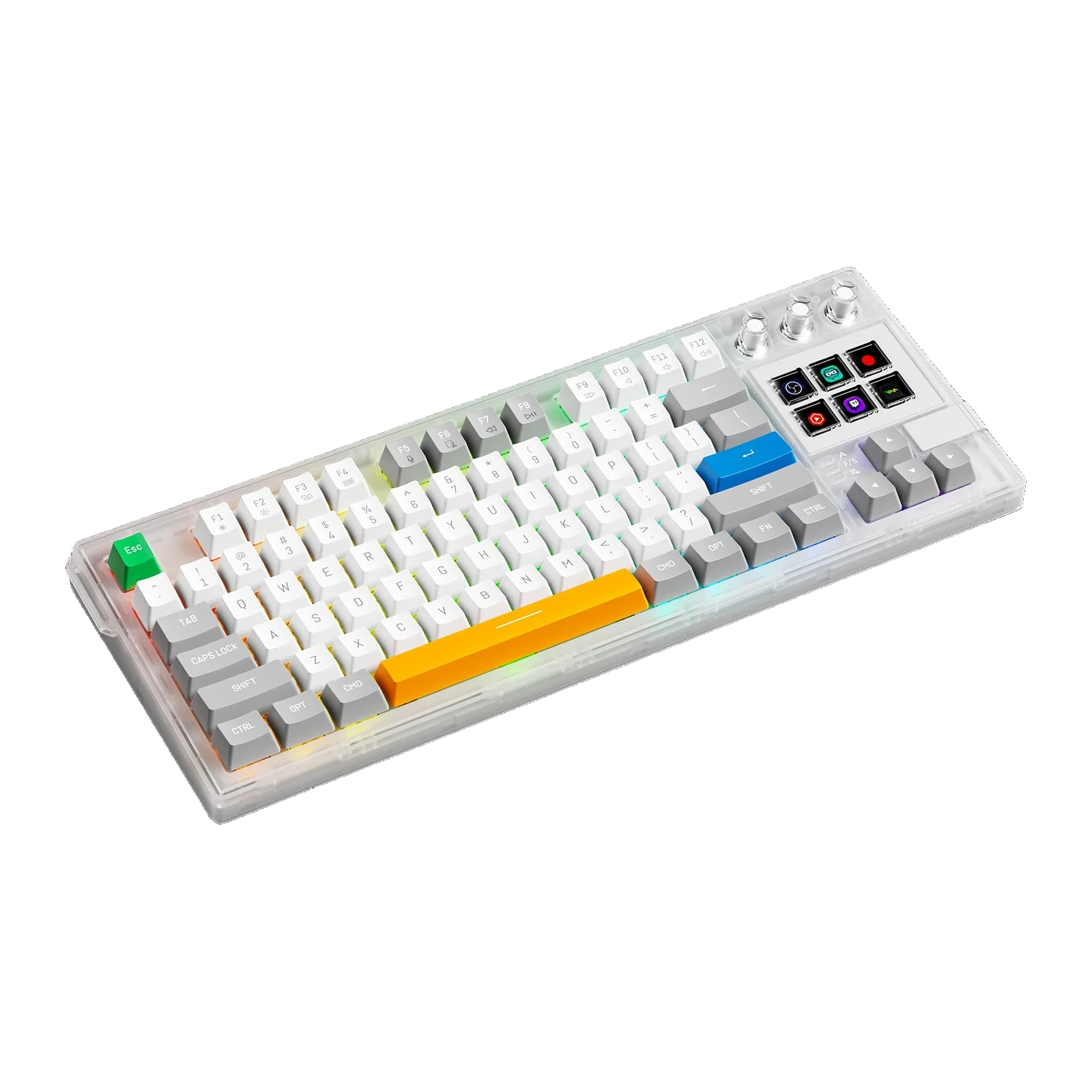
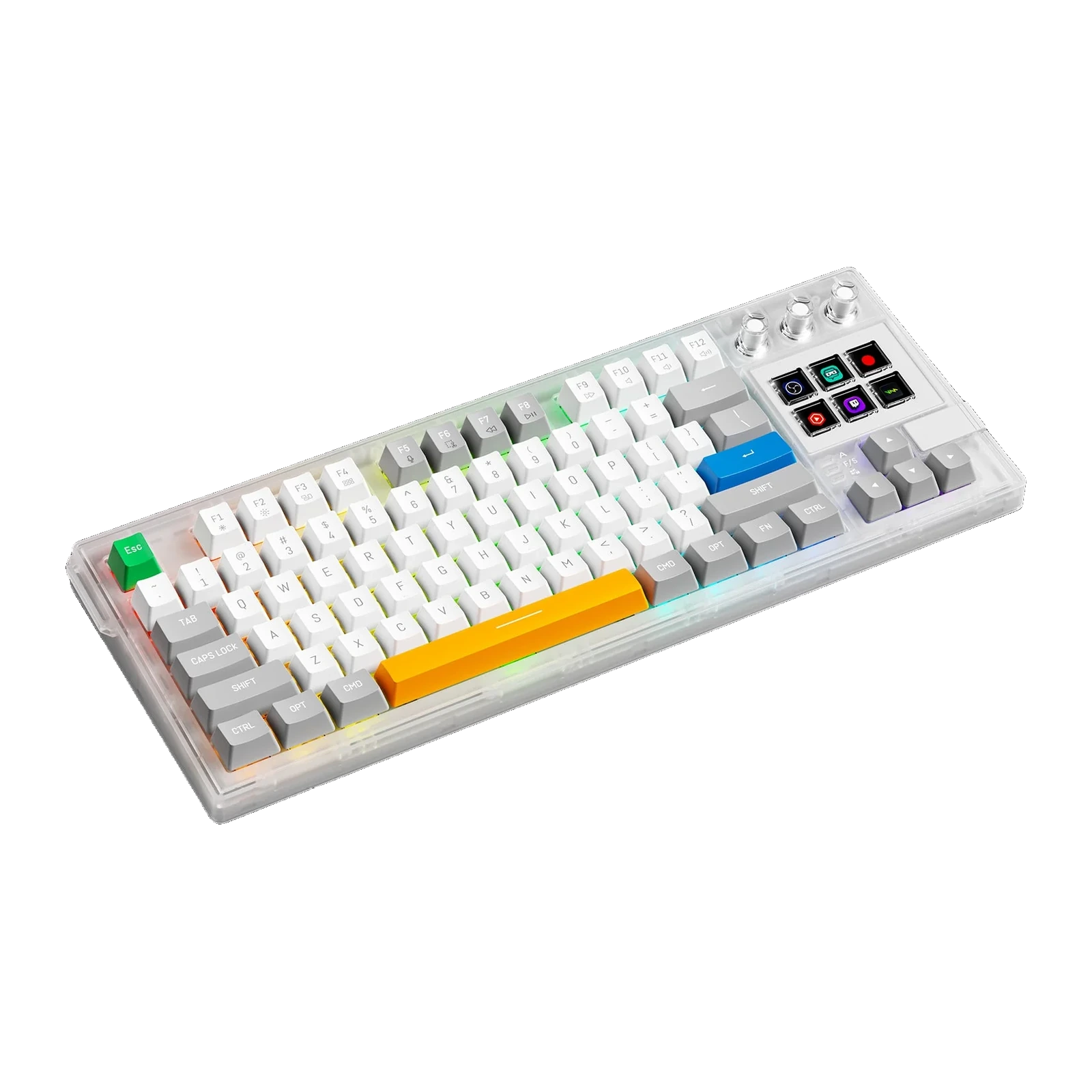
VSDinside K1 W — wireless mechanical keyboard with 6 LCD keys, 3 knobs and an 8,000 mAh battery, White transparent
- Store pickup
- Tashkent, Shaykhantakhur district, Iftikhor street, 2
- Courier
- 50,000 UZS
- Warranty
- 1 month
About this product
All specifications →VSDinside K1 W: description and configuration
VSDinside K1 W — keyboard.
The K1 W is the wireless version of the keyboard with a control deck built in. Six screen keys and three clear knobs sit to the right of the main block: the screens take OBS scenes, mic mute, app launches and macros, while the knobs handle volume, scrolling or brush parameters. What separates it from the wired K1 Pro is an 8,000 mAh battery and three connection modes: Bluetooth 5.4, 2.4 GHz through a USB receiver, and a USB-C cable.
The case is semi-transparent ABS with acrylic keycaps and three clear knob caps; the spacebar colour is changed separately. The board sits on a gasket mount with several damping layers: an EVA gasket, an IXPE pad under the switches, a PET sound-dampening sheet, foam and silicone in the base. The switches are linear red and hot-swappable: actuation at 1.9 ± 0.5 mm with a 43 ± 5 gf force, 4.0 ± 0.5 mm total travel, reset from 20 gf, and the rated life is 50 million keystrokes. The RGB backlight covers 16.8 million colours; the body measures 385 × 145 × 43 mm, weighs 1,080 g, sits at 7°, and the feet adjust through two steps.
Windows 10 64-bit or newer and macOS 10.15 or newer are supported. Icons, scenes and macros are set up in the free VSD Craft or straight in a browser through the web interface, with no install; assigned macros live in the keyboard itself and fire without the app running. A cable, seven spare keycaps, four spare switches and a keycap and switch puller are included.
The deck is already inside the keyboard
A screen deck is usually a second purchase: another device on the desk and another cable. On the K1 W the six screen keys and three knobs sit right beside the main block. Each key carries its own icon or animation, so you can see what a press will do instead of recalling a shortcut.
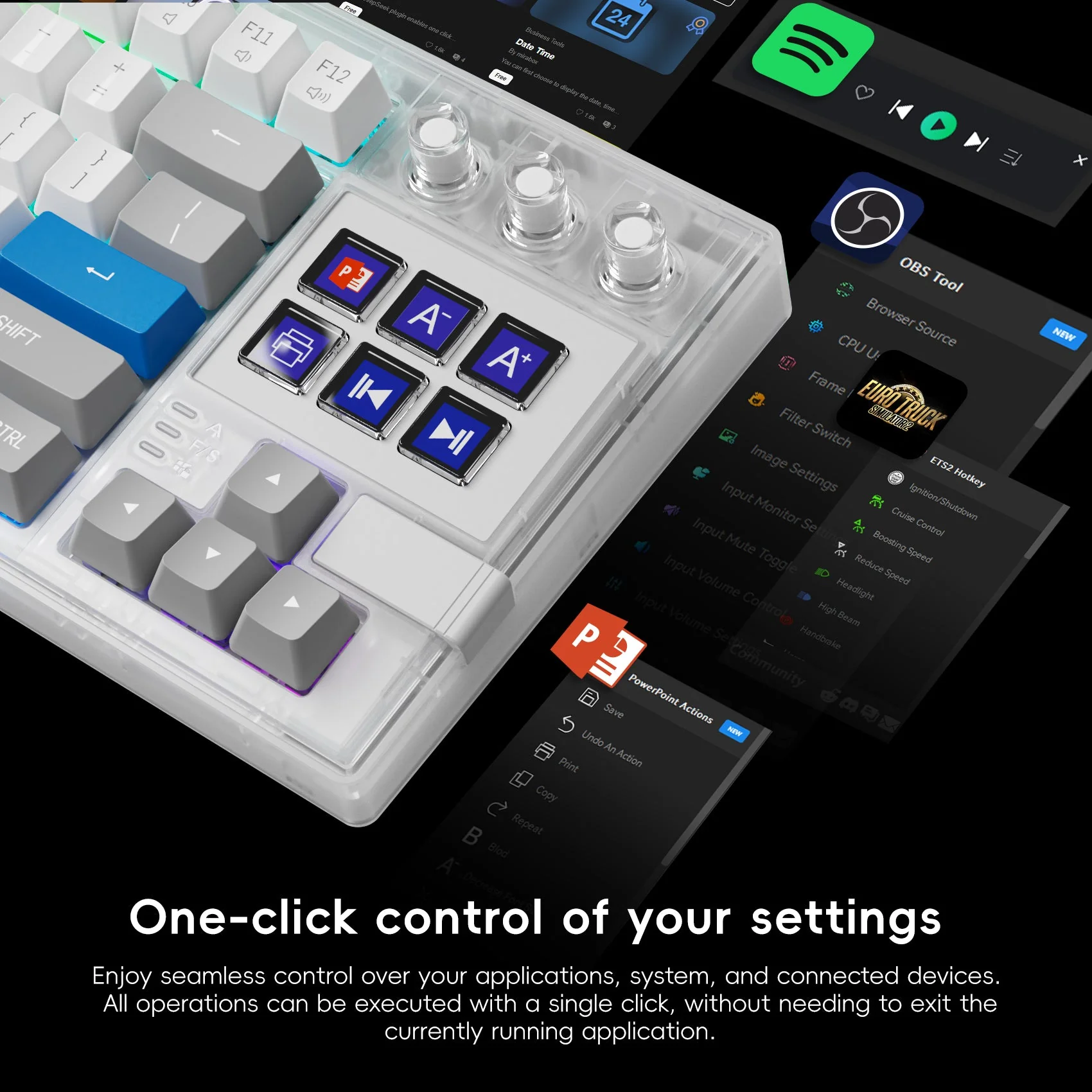
Close-up of the K1 W deck: six LCD keys with icons and three clear knobs next to OBS and Spotify panels
Three modes and an 8,000 mAh battery
The K1 W connects over Bluetooth 5.4, over 2.4 GHz through a USB receiver, or with a USB Type-C cable. The wireless modes suit a keyboard that moves between a work and a home machine, while the cable stays for charging and for when a wired link is needed. The cell is 8,000 mAh; the manufacturer publishes no runtime estimate, so we do not quote one.
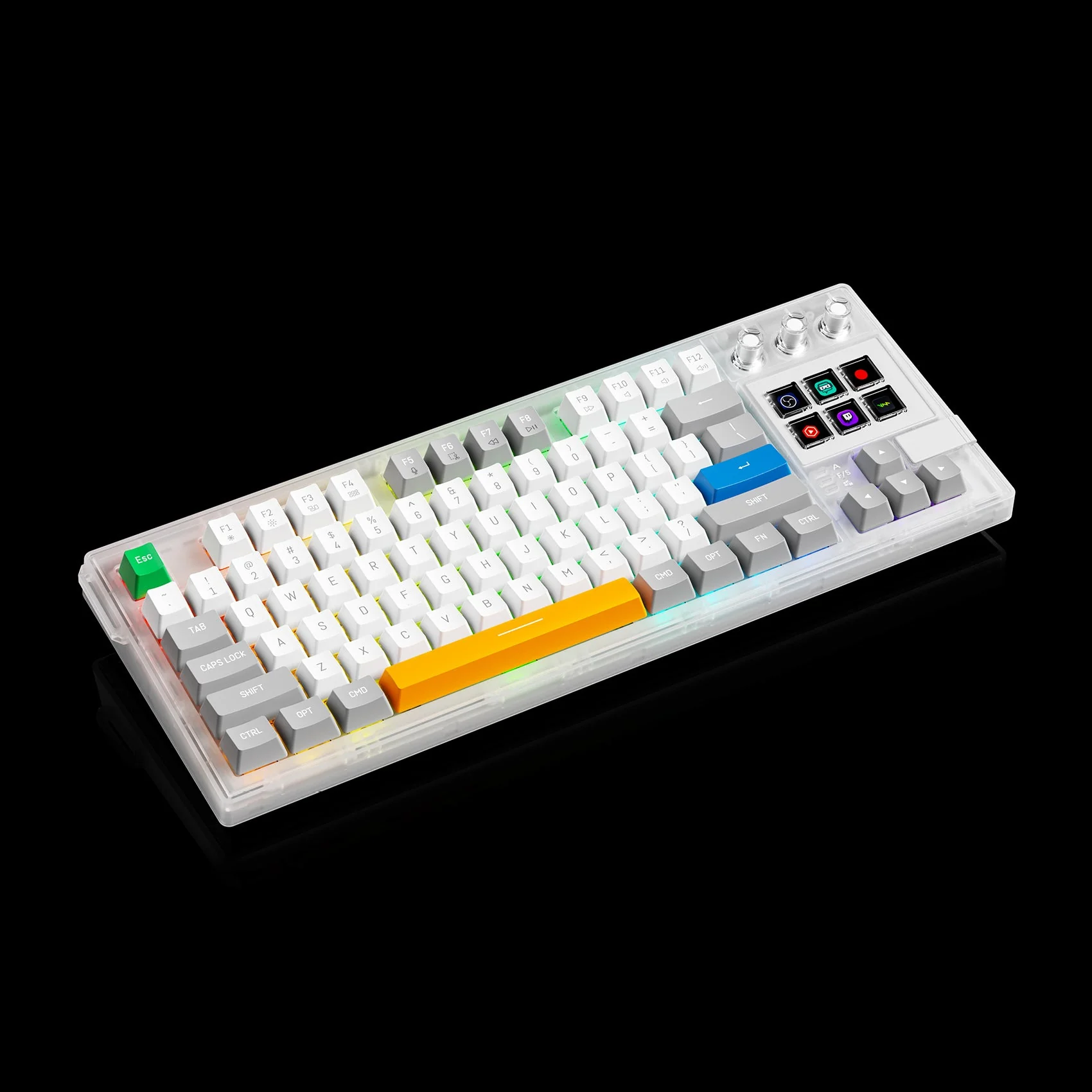
VSDinside K1 W keyboard in a semi-transparent white case at an angle, with RGB lighting and the six LCD keys
Gasket mount and damping layers
The board rests on a gasket rather than being screwed hard to the case, so a press feels softer and sends less shock into the hands. Between the layers sit an EVA gasket, an IXPE pad under the switches and a PET damping sheet, with foam and silicone in the base. Together they remove the hollow echo of the case and make typing sound denser and quieter.
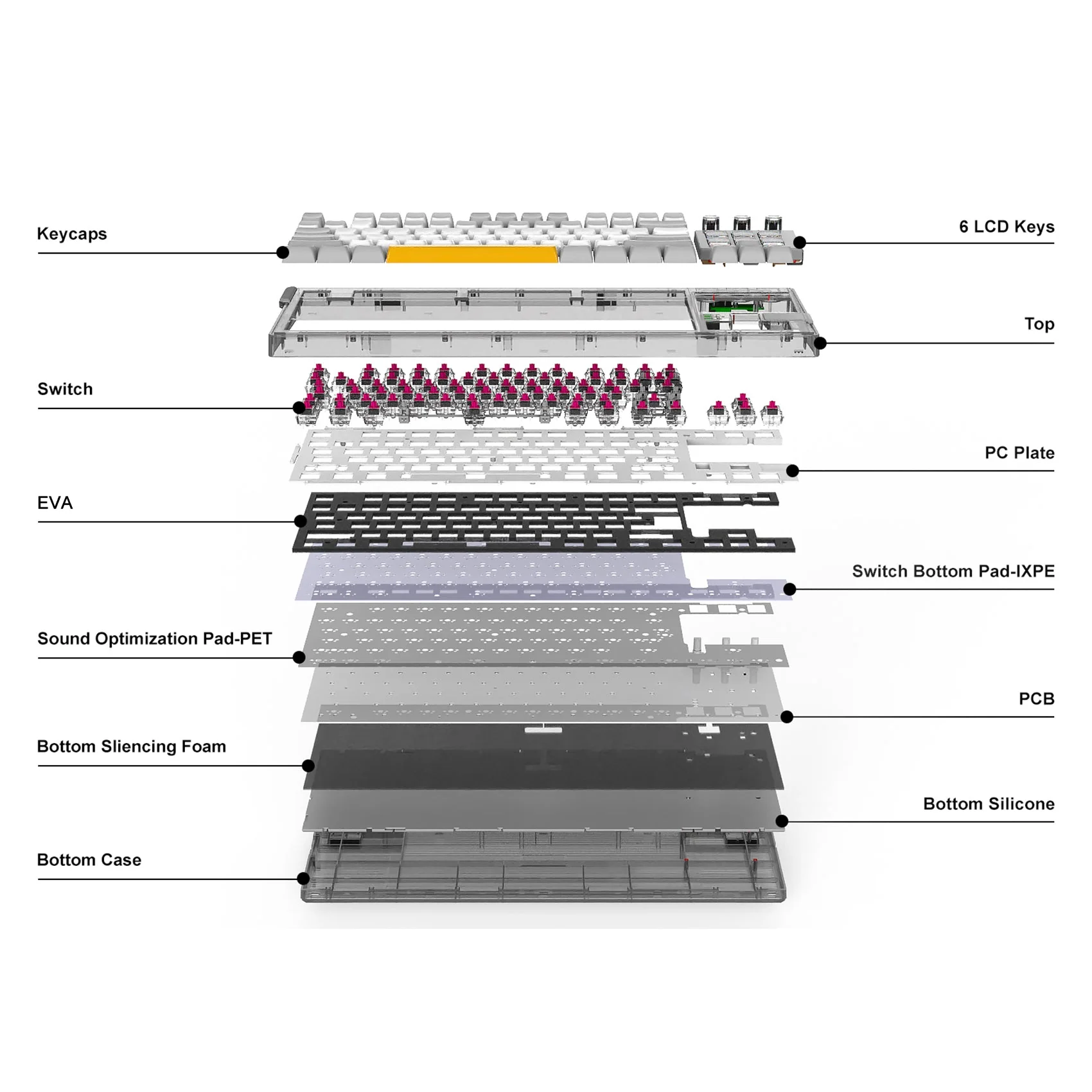
Exploded view of the K1 W: keycaps, switches, PC plate, EVA gasket, IXPE pad, PET sheet, foam and the bottom case
Hot-swap without soldering
Switches pull straight out of the socket with the included puller — no soldering. The factory fit is linear red: actuation at 1.9 ± 0.5 mm with a 43 ± 5 gf force, 4.0 ± 0.5 mm total travel and reset from 20 gf. The box holds four spare switches and seven keycaps, including the Win and Alt modifiers, so the bottom row can be rearranged for Windows.
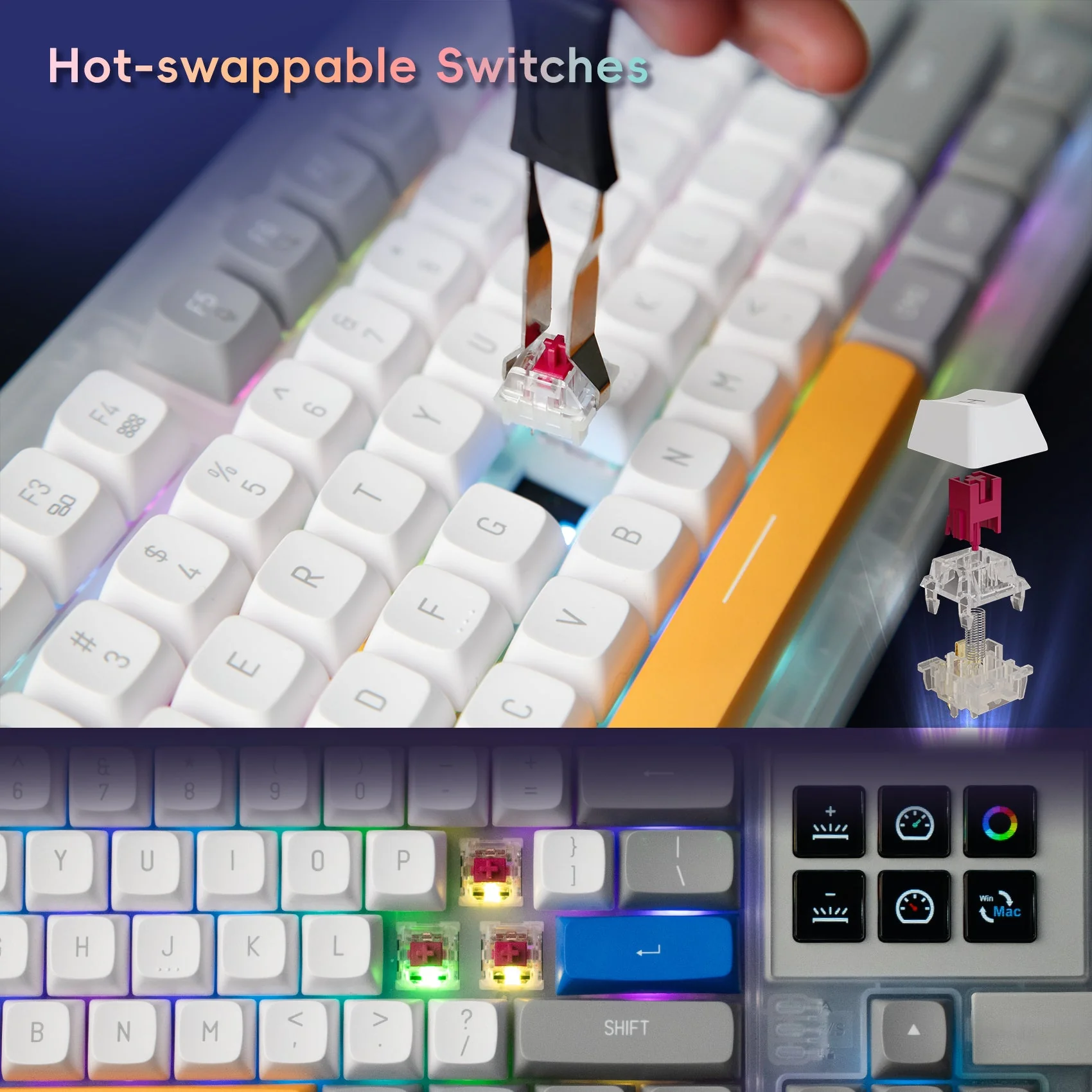
Swapping a switch on the K1 W with the puller: a linear red switch lifted out of its socket, backlight on
Set it up in a browser, macros stay onboard
The LCD keys and knobs are configured two ways: in the free VSD Craft app for Windows and macOS, or straight in a browser through the web interface with nothing to install. Both let you swap in your own icons and build multi-step macros. Finished assignments are stored in the keyboard's memory and keep working with the app closed, or on a different computer.
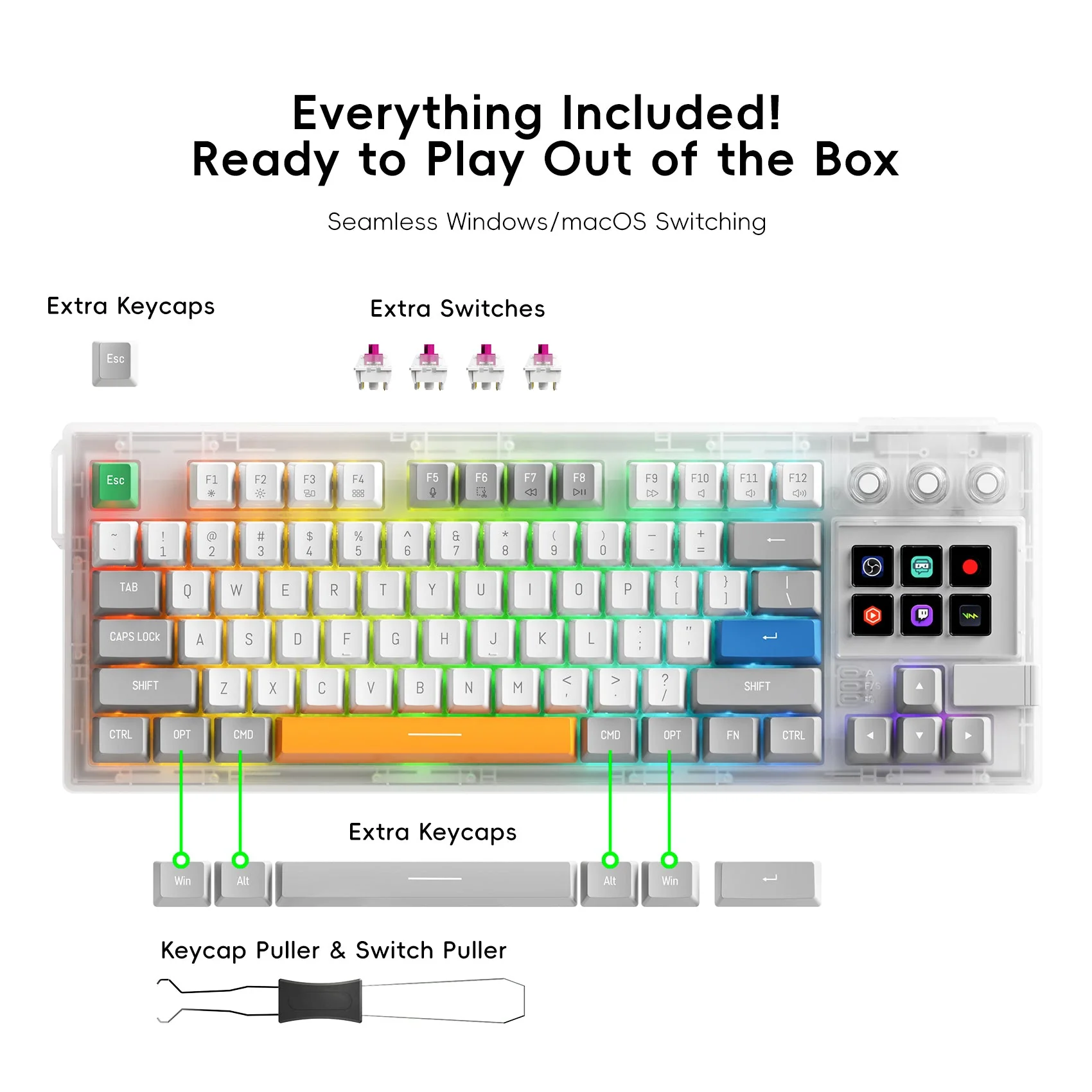
The K1 W bundle: the keyboard, seven spare keycaps, four spare switches and a keycap and switch puller
VSDinside K1 W specifications
Reviews
There are no customer reviews yet. The first review will appear after a verified order.
No reviews yet — be the first to leave one.
Questions and answers
No questions yet. Ask the first one and we will reply within one business day.
No questions yet — be the first to ask.