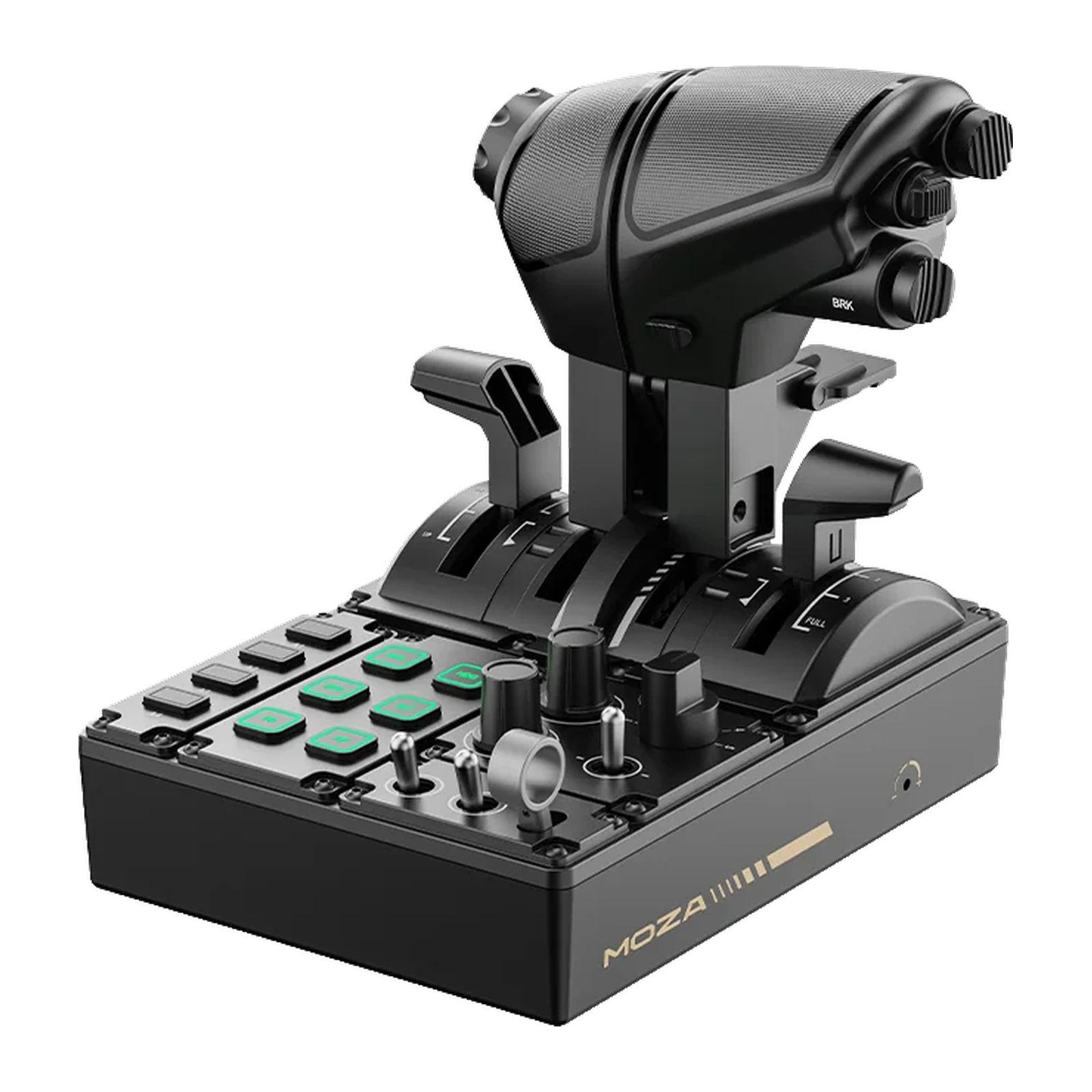
MOZA MTQ Throttle Quadrant — modular throttle: 4 detented axes, swappable levers, RGB backlight
Payment methodsAbout this product
All specifications →MOZA MTQ Throttle Quadrant: description and configuration
MOZA MTQ Throttle Quadrant.
The MOZA MTQ Throttle Quadrant is a compact engine control unit that adapts to the aircraft rather than the other way round. It ships with fighter-style TQF levers; TQA (Airbus) and TQB (Boeing) modules are sold separately. The levers swap by hand, and the mechanics swap with them: the fighter module has an afterburner detent, the Airbus module reproduces reverse thrust with tactile gates, and the Boeing module adds extended forward travel, a lift-to-arm reverse lever and a TO/GA button.
Four independent axes with built-in detents handle thrust, speedbrake and flaps; damping on each axis is adjustable, so resistance can be set to taste. The panel carries 17 controls: ten multifunction buttons, three rotary knobs, three toggle switches and a dedicated landing gear lever. Six RGB-backlit buttons with 16.7 million colours respond to sim telemetry without plug-ins.
The quadrant connects straight to MOZA Flight bases over an RJ11 cable — saving USB ports — or over plain USB to a PC. The casing and levers are composite and the unit measures 216 × 166 × 198 mm. Detent logic, lighting effects and axis response are configured in MOZA Cockpit. A desk clamp and mounting plate are sold separately.
One quadrant, three aircraft types
The MTQ levers swap by hand, and the feel of the controls swaps with them. The TQF fighter module in the box gives you a HOTAS layout and an afterburner detent. The TQA module reproduces Airbus logic: reverse thrust with tactile gates at the characteristic positions. The TQB module follows Boeing — extended forward travel, a reverse lever you lift to arm, and a TO/GA button for the takeoff setting.
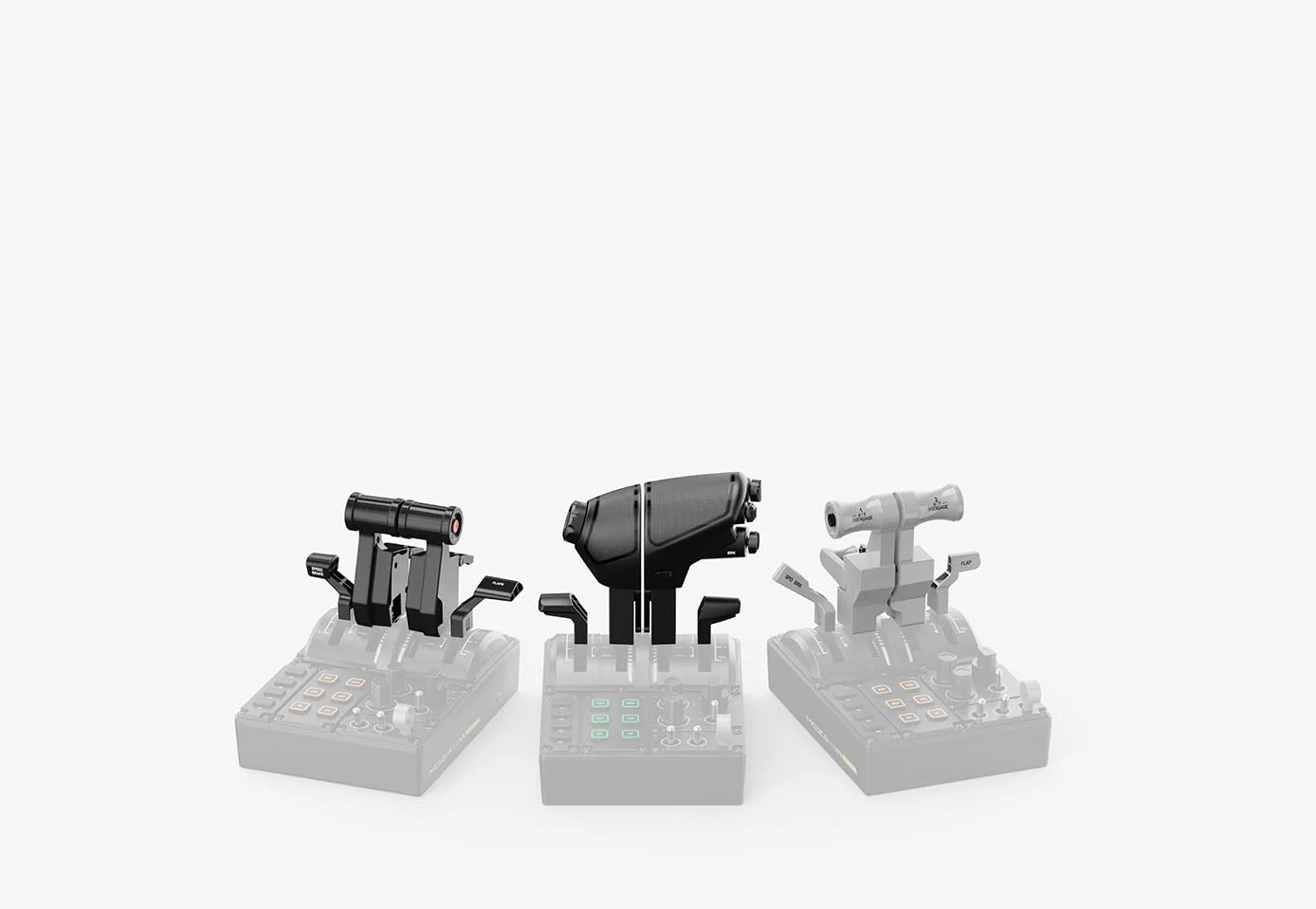
The three swappable MOZA MTQ lever modules: the fighter module highlighted in the centre, the Airbus and Boeing modules either side
Four axes: thrust, speedbrake, flaps
The axes work independently and carry built-in mechanical detents, so the speedbrake position or a flap step can be felt with your fingers rather than read off the screen. Damping on each axis is adjustable: heavy travel for an airliner, light for a fighter. MOZA Cockpit adds virtual detents on top, mapped as software buttons.
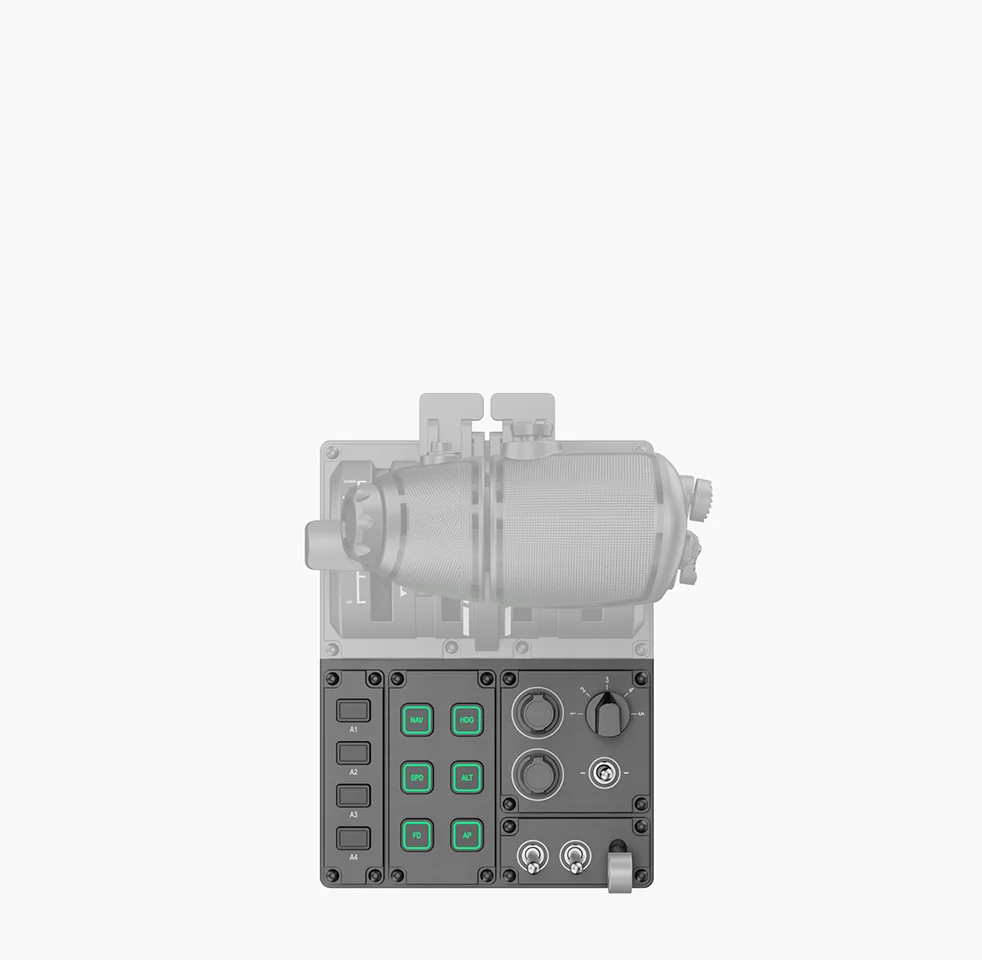
Close-up of the MOZA MTQ lower panel: the A1-A4, NAV, HDG, SPD, ALT, FD and AP buttons, the knobs and the toggles
17 controls on one panel
The body carries ten multifunction buttons, three rotary knobs, three toggle switches and a dedicated landing gear lever. Six of the buttons are RGB-backlit and carry autopilot legends — NAV, HDG, SPD, ALT, FD and AP — with the knobs alongside them for dialling values. The 16.7-million-colour backlight can react to sim telemetry, so a mode's state is readable out of the corner of your eye.
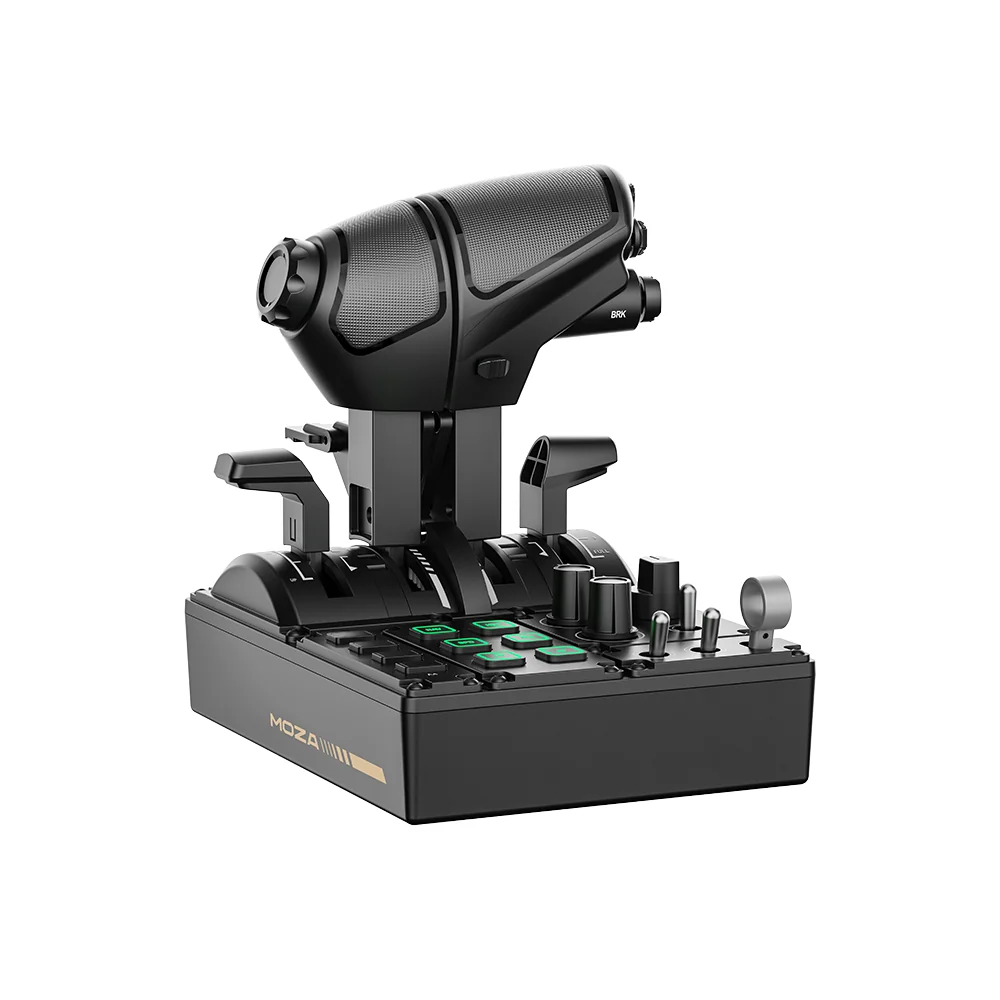
MOZA MTQ from a high angle: buttons, rotary knobs and the landing gear lever
One cable instead of another USB port
The MTQ connects to MOZA Flight bases over an RJ11 cable: the link runs through the base and a USB port stays free on the PC — a real saving in a setup that already has a base, a grip and pedals. If you do not have a base yet, the same unit runs standalone over USB, with nothing else to buy.
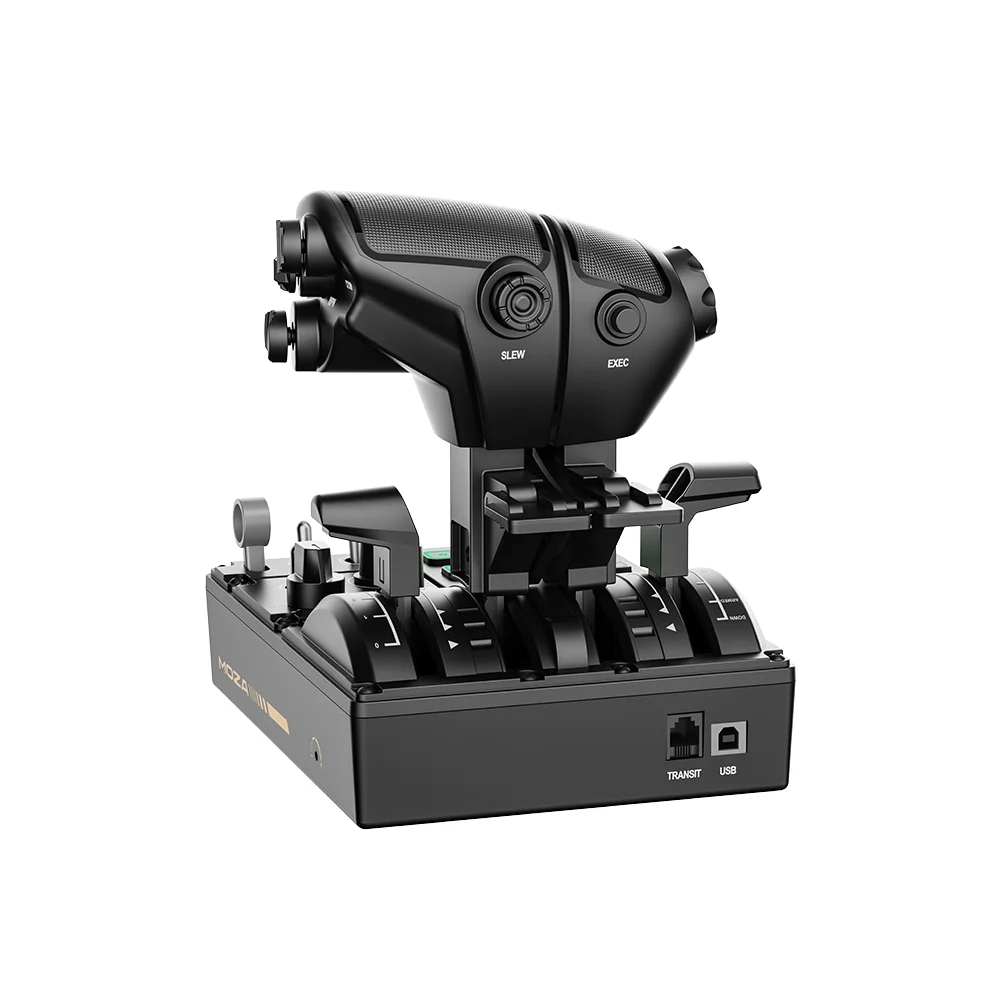
The MOZA MTQ rear ports: the TRANSIT (RJ11) socket for a MOZA base and a USB socket for a PC
Compact enough for a normal desk
At 216 × 166 × 198 mm the quadrant fits to the left of a keyboard and needs no cockpit frame. The casing and levers are composite. For a permanent install MOZA offers a desk clamp and a mounting plate, both sold separately, which hold the unit rigid during fast lever movements.

The MOZA MTQ Throttle Quadrant on a light desk, showing its scale in a workspace
MOZA MTQ Throttle Quadrant specifications
Reviews
There are no customer reviews yet. The first review will appear after a verified order.
No reviews yet — be the first to leave one.
Questions and answers
No questions yet. Ask the first one and we will reply within one business day.
No questions yet — be the first to ask.